Product · Views
Eight ways to see the same records.
Views are saved per database with their own filters, sorts, grouping, and colors. The data underneath never moves — only how you look at it. Every screenshot below is the same demo agency workspace.
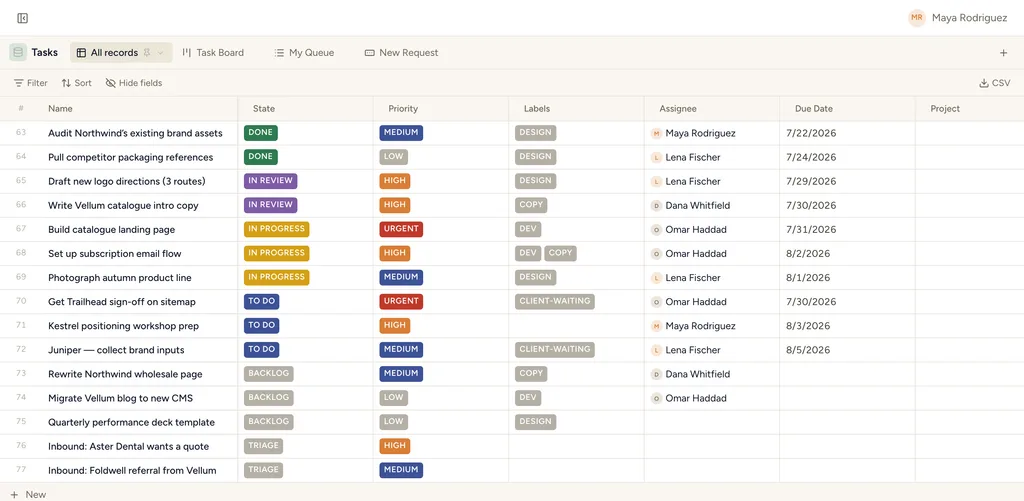
Table
The spreadsheet you know, with a real database underneath. Every column is a typed field — selects with colors, users with avatars, dates, numbers, relations — so inline edits are validated, not free-text. Filter and multi-sort from the toolbar, hide fields per view, resize and reorder columns, and export the result as CSV. When you need bulk changes, edit straight in the grid.
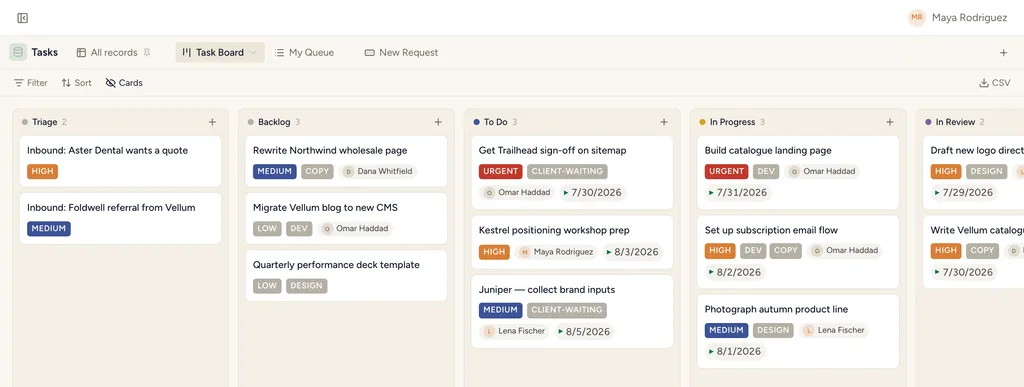
Board
Kanban by any single-select or user field. Cards carry the fields you choose — priority, labels, assignee, due date — and drag-and-drop between columns writes the underlying field, which means an automation (or an agent) can react to the move. Column counts keep work-in-progress honest.
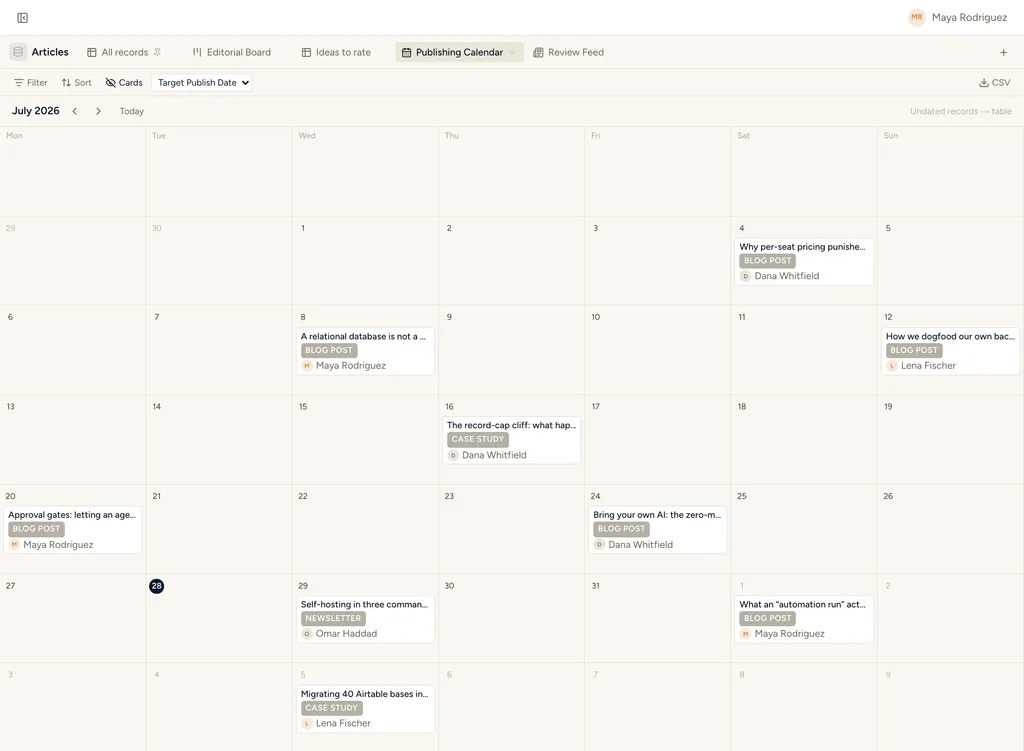
Calendar
Records on a month grid by any date field. A content calendar, a booking sheet, a deadline wall — anything with a date lands on the day it belongs to, with field chips so you can tell posts apart at a glance. Click through to the record to act on it.
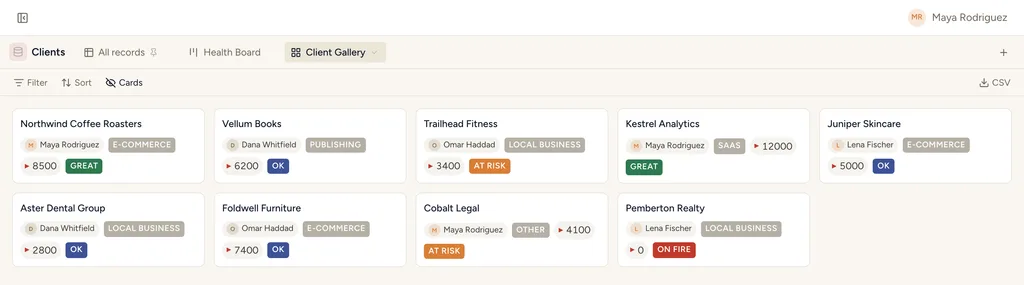
Gallery
A responsive grid of rich cards — the view for anything where recognition beats scanning: clients, creative work, products, people. Cards show the fields you pick, and the cover treatment makes a workspace feel like a place rather than a spreadsheet.
List
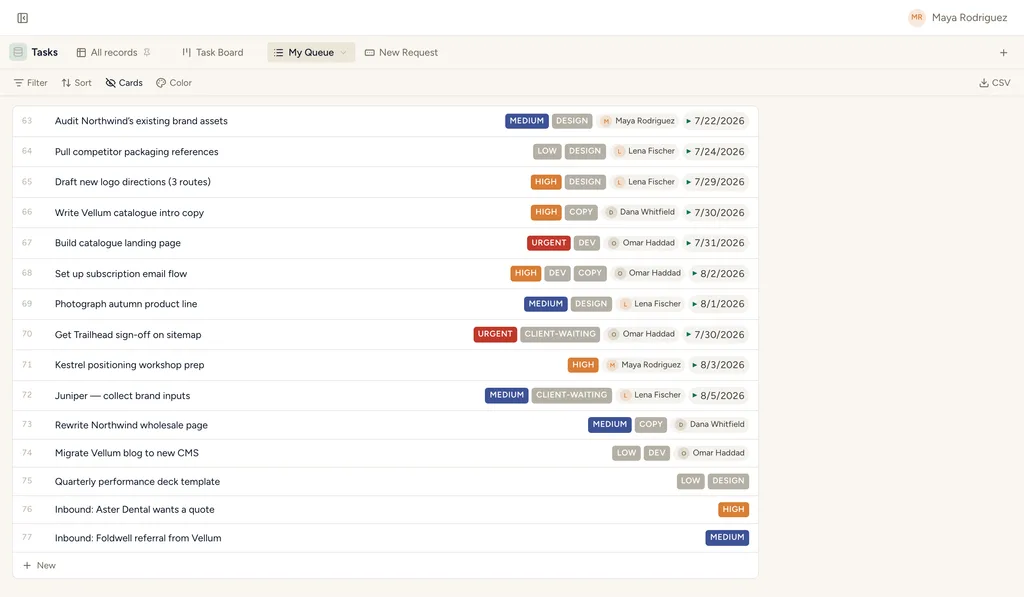
Denser than a table, lighter than a board. Rows carry a handful of field chips and group by any select — ideal for triage queues, reading lists, and any flow where you process items top to bottom. The numbered rows double as a running count.
Feed
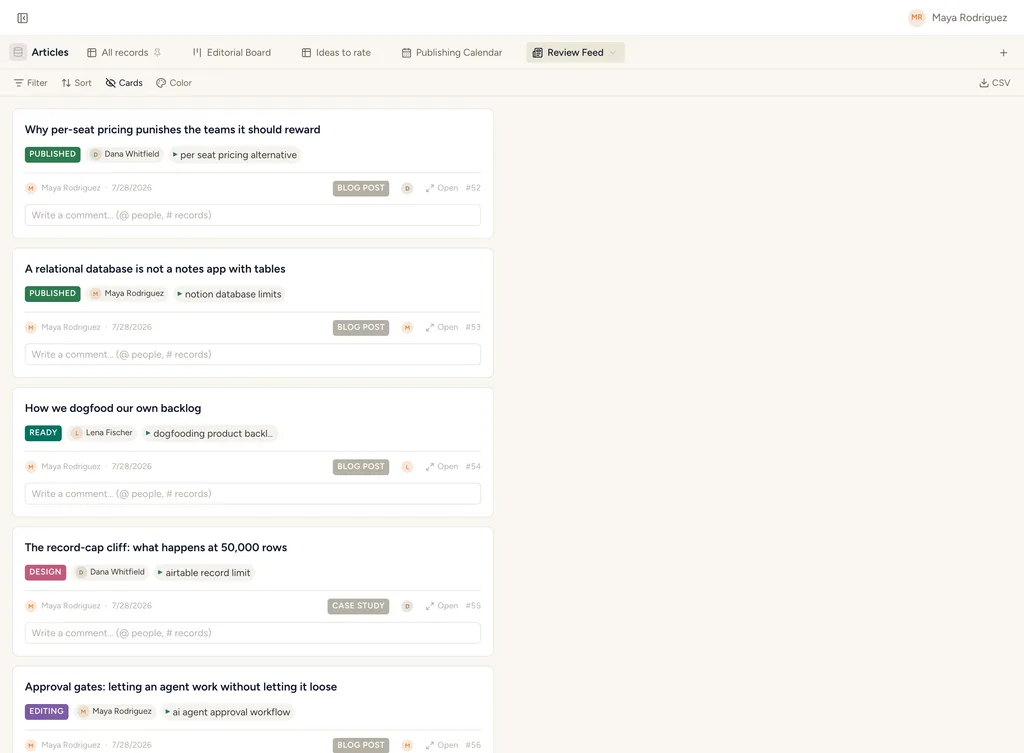
A scrollable stream of large cards, newest first. Built for review flows — reading drafts, approving creative, walking a stream of updates — where each record deserves more than a row. Pair it with a status field and it becomes a lightweight approval queue.
Timeline
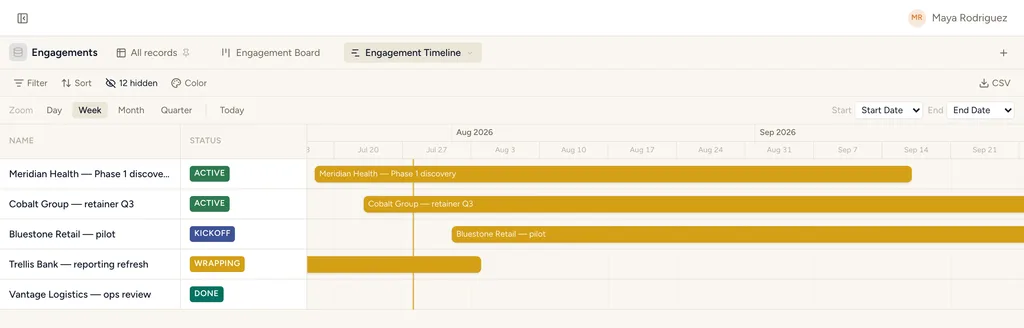
Bars across a zoomable time axis, from any start/end date pair. Plan projects, book capacity, see overlaps before they become collisions. Re-scope and reschedule on the axis — the dates on the record change with it.
Form
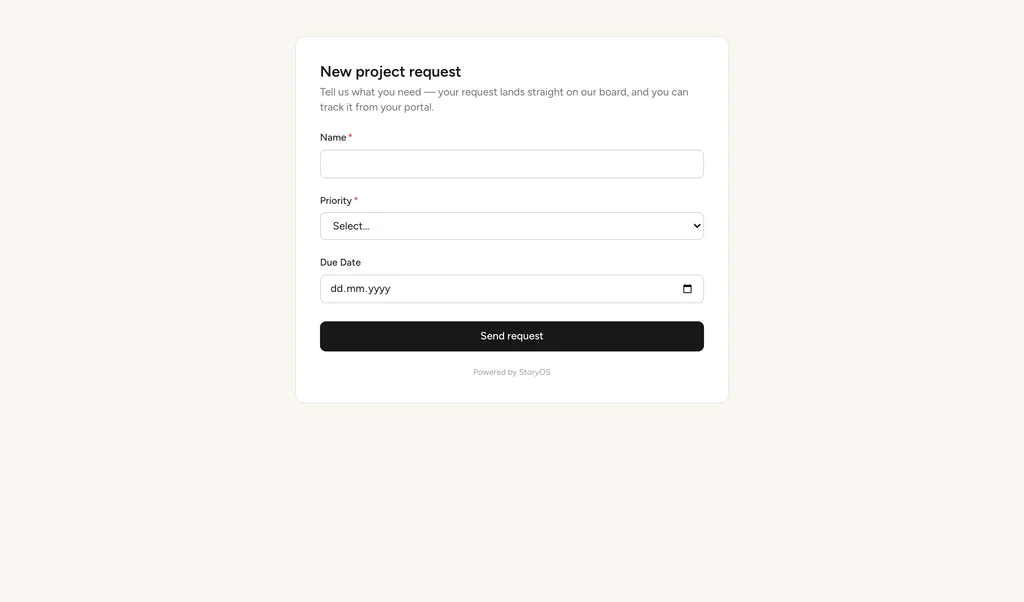
Turn any database into an intake channel. Pick the fields, share the form, and every submission lands as a structured record — straight into your triage board, where an automation can route it or an agent can take the first pass.
Same records. Your way.
Filters, multi-sort, grouping, and color-by are saved with each view — and agents can create views over MCP, too.
See your work eight ways.
Start free — 30 days of Pro, no card. Unlimited records on every plan.