

You run the business.
Your AI crew does the work.
StoryOS is the one place your real business lives: your customers, jobs, orders and invoices, all connected. You set the direction, your AI assistants do the work inside it, and the moves that matter wait for your yes.
Paste it into Claude or ChatGPT to get started. See the prompt
I want to try StoryOS (https://storyos.dev) as the place where you, my AI, work on my business: my customers, jobs, tasks and invoices.
1. Read https://storyos.dev/llms.txt so you know what StoryOS does and what it doesn't. If you can't open links, tell me and I'll paste it.
2. Ask me up to 3 short questions: what my business sells, who's on the team, and what I track today and where.
3. Suggest the one StoryOS template that fits, in two lines, and why.
4. Walk me through connecting you, step by step: I create a free account at https://app.storyos.dev myself; then I add StoryOS as a custom connector in this app with the address https://mcp.storyos.dev/mcp, sign in, and click Allow. If you're ChatGPT, tell me how to turn on developer mode first.
5. Once you're connected: install the template you suggested, add my first few real customers and jobs from what I told you, and then show me what's waiting for me. Ask me before you delete anything or send anything outside StoryOS.
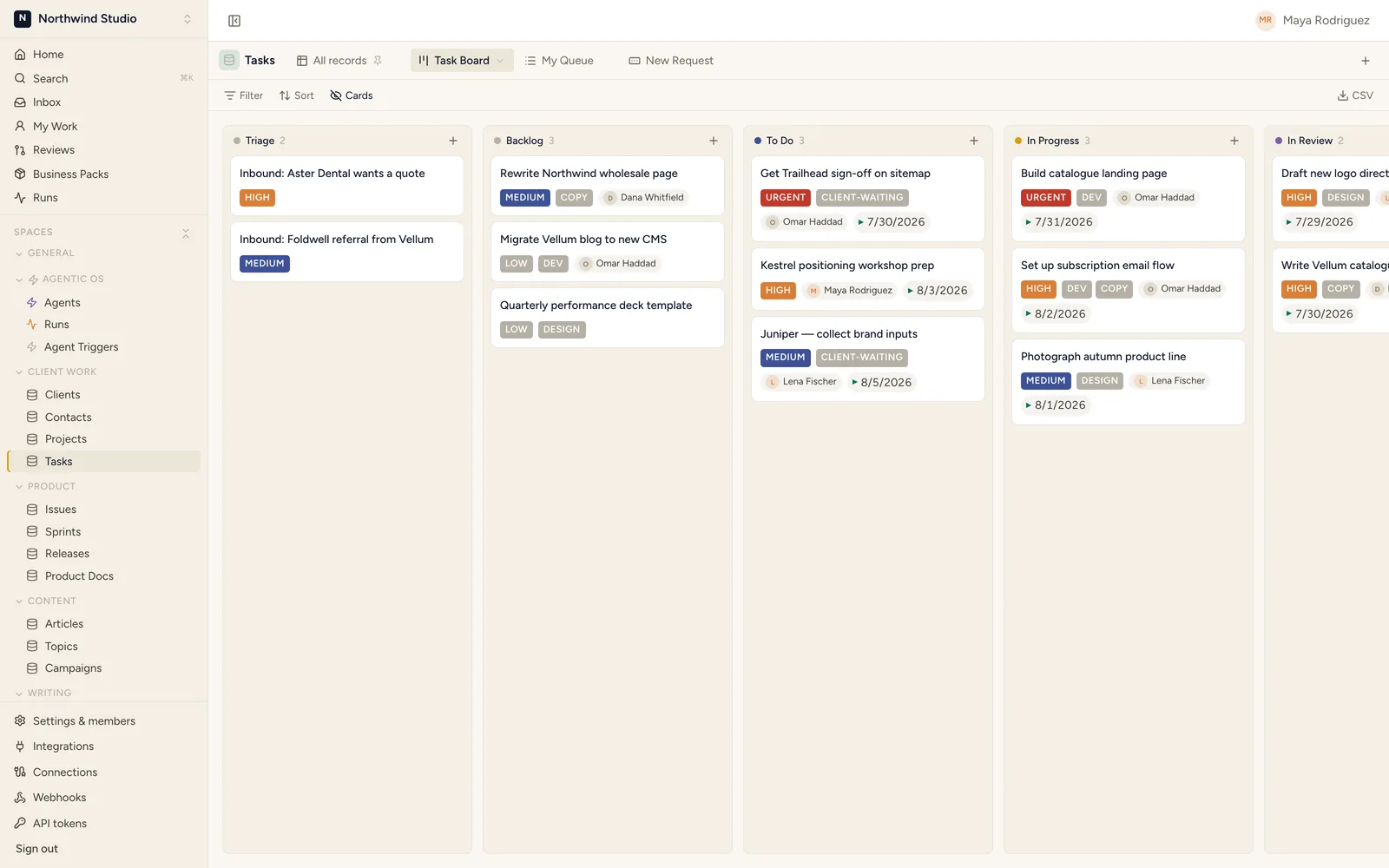
For you
Your days back. Ask for the work, approve what matters, and see your whole business in one place.
See how it works →For your AI assistants
A harness: memory, a task queue, tools over MCP, approvals and a record of every run.
For your AI →A day in the new way of working
You decide. Your AI does the rest.
You talk to Claude or ChatGPT the way you would talk to a sharp assistant. The work lands in StoryOS, on the real records, where your team can see it.


- 08:40 You ask
“What’s waiting for me today?”
Reads your tasks and your Inbox, then answers in three lines: two tasks overdue, one approval waiting, and a client with no next step.
- 09:30 You ask
“Roll up open work for each client and draft their status updates.”
Follows every client to its jobs and tasks, and leaves a draft update on each client record. You read them over coffee and send the ones you like.
- 11:15 You ask
“Turn this morning’s call notes into tasks on the website job.”
Creates the tasks, links them to the job and its customer, sets due dates and owners, and comments on the job with what it did.
- 14:00 You ask
“Answer the new cake-shop enquiry.”
Drafts a reply on the enquiry, marked as the AI’s. Nothing goes to the customer until you read it and send it.
- 17:20 You ask
“What moved today, and what’s stuck?”
Writes the summary from what changed on your records today. You read it, and close the laptop.
Nothing here runs on a timer. Each line is something you ask for, in a chat, when you want it. Read the whole day
Agents you hire
Agents you hire, in early access.
Hired agents are early access and run on your own computer. Today, the way to get work done is to ask your AI; every draft waits for your yes. Some templates already include an agent for the work.
-
Ask your AI
“Draft the welcome packet and a first-week checklist for our new client.”
Hired agent · early access
The Agency OS template includes an Onboarding Assistant for this.
-
Ask your AI
“Draft a first reply to the new support ticket.”
Hired agent · early access
The Support Inbox template includes a triage agent for this.
-
Ask your AI
“Write a first outline onto the new article.”
Hired agent · early access
The Content Engine template includes a Draft Assistant for this.


Early access. Runs on your own computer with your own Claude Code. Agents that come with a template install switched off until you turn them on.
Why Story, why OS
Your tasks don’t know your business. StoryOS does.
A task board knows cards. It does not know that this card is for a customer, part of a job and waiting on an invoice. StoryOS starts from the real things in your business and connects them the way they are in real life.
Story.
Your business is a story told in real things: a customer has jobs, a job has tasks and invoices, an order belongs to a customer. StoryOS keeps that story connected, so you and your AI always read it from the start, then write the next page.
OS.
It is the one place everything runs, not another app beside the others. You and your AI work in the same records, with the same tasks, permissions and history.
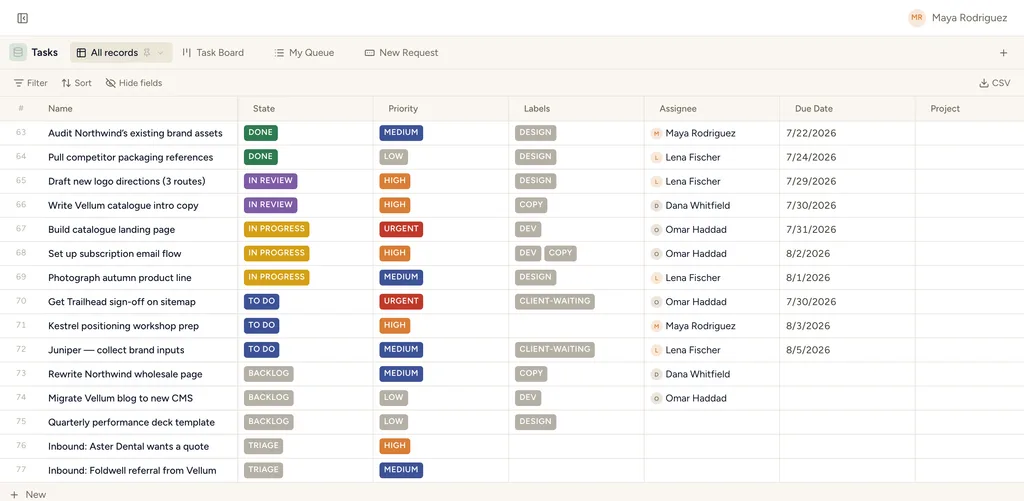
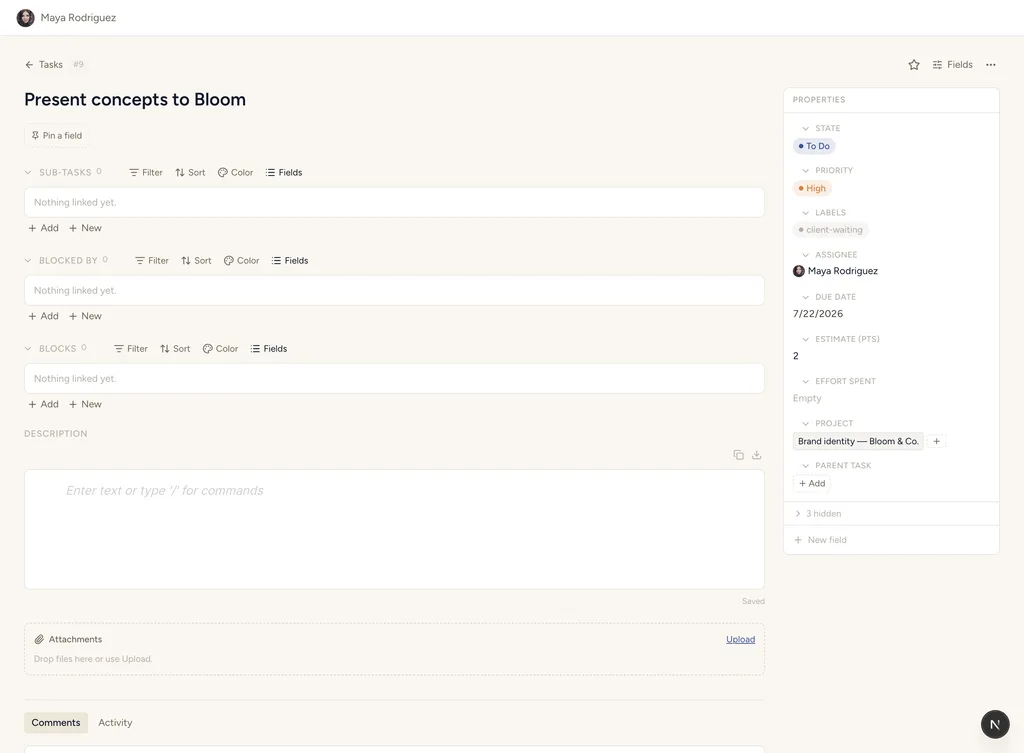
What your AI gets
For your AI, a harness.
Bring the assistant you already pay for: Claude, ChatGPT, or any app that connects to a remote MCP server. StoryOS gives it what it needs to do real work, and nothing you did not allow.
- 01
Memory
Your real records, their relations, descriptions, comments and files. An agent reads the schema first, so it knows what a client or an invoice is here and does not guess names.
- 02
A task queue
The same tasks your team works from. An agent queries what is open and assigned, picks it up, moves the state and leaves a comment saying what it did.
- 03
Tools over MCP
Query with structured filters, create, update and link records, comment, attach files. With an admin’s access it can build databases, views and automations too.
- 04
Approvals
Gate the moves that matter. A held action waits in your Inbox, and only a person can approve it. Your AI cannot approve itself or change the gates.
- 05
A record of every run
Every change made through a connected AI is badged as the AI’s, under the name of the person who connected it. A run keeps what started it and each action it took.
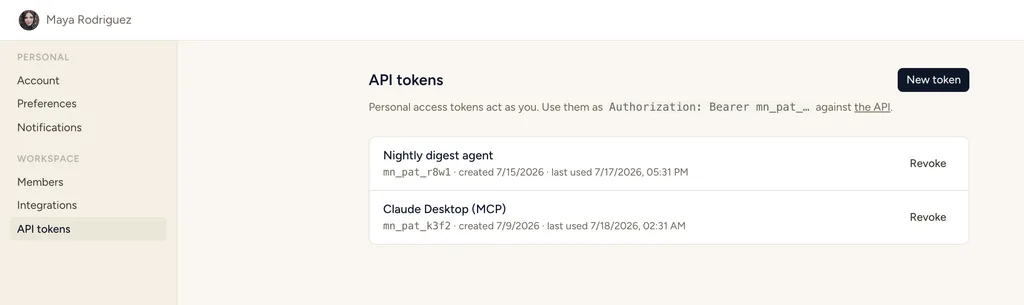
Connect in three steps. Paste one address in your AI app, sign in to StoryOS, click Allow. It runs on your own AI subscription: we never meter it and never mark it up.
What you run with it
Built for agencies first.
And for the small teams who run like one. If your work has customers, jobs and deadlines, it belongs in one place.
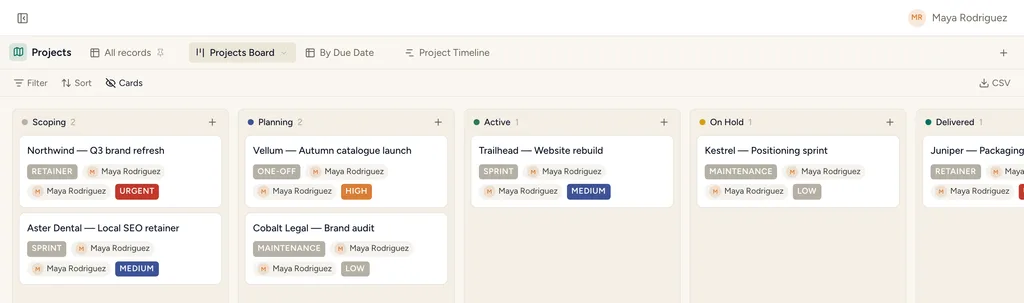
Agencies
Know where every client stands without chasing anyone. Your AI reads every project and drafts the update.
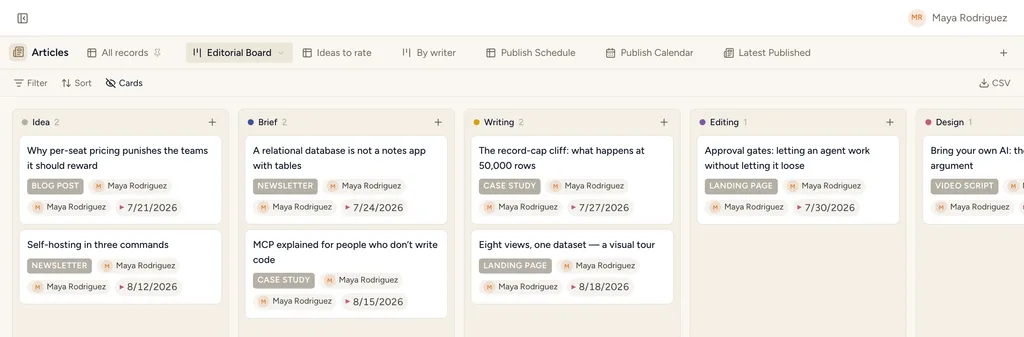
Marketing teams
Every idea, brief and post in one pipeline. Ask your AI what ships this week and what is stuck.
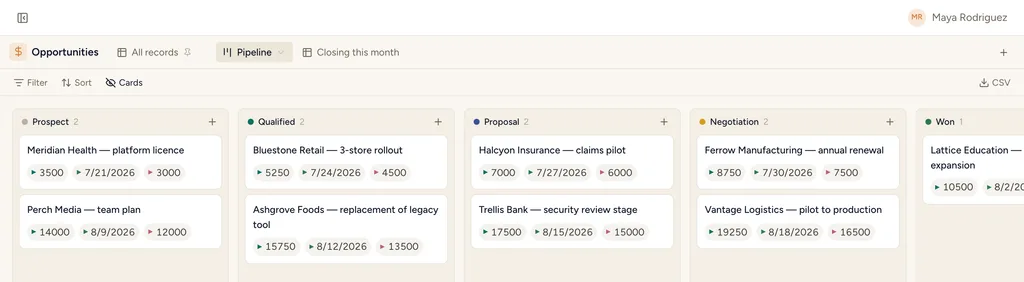
Sales teams
Every deal has a customer, a value and a next step. Ask your AI for the deals nobody has followed up.
Pricing
Priced per workspace. Your AI is never metered.
- Free
- $0 2 editors included
- Pro
- $29/mo per workspace 3 editors included
- Business
- $99/mo per workspace 5 editors included
- Enterprise
- Custom SSO, a dedicated instance, SLA
Every plan includes editors, and extra editors are $12 a month each. Guests are always free, and every plan has unlimited records. The AI you connect is never metered and never marked up.
Hand over the work. Keep the say.
Open a free workspace, put your customers and jobs in it, connect your AI and give it its first task. Or run the open-source code on your own server.