Your code has a home. Give the business around it one too.
You build with your AI at night and ship on the weekend. The customers, their feedback, the bugs they found and the launch plan live in five tabs. Put them in one place your AI can read and write.
Customers Feedback Issues Releases , linked.
A week
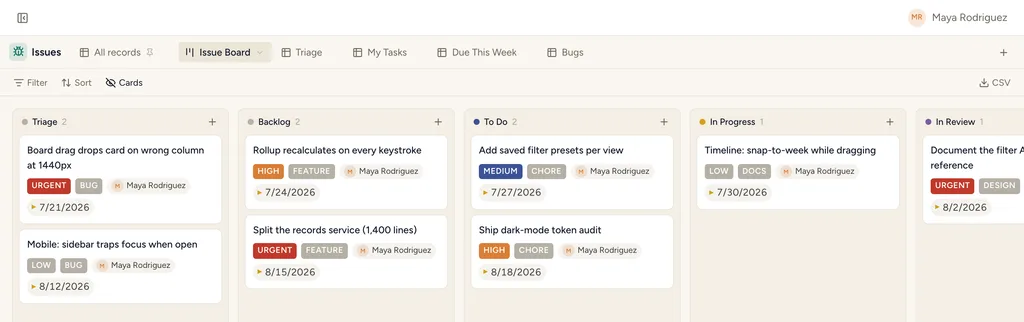
A week of building, with the business attached.
The person who asked, the issue it became and the release that fixed it are linked, so “did we ever tell them?” has an answer.
- 01
Monday: feedback in their own words
Point a form at your feedback link. Each message lands as a record in the sender’s own words, newest first, ready to link to the customer who sent it.
Ask your AI to turn this week’s feedback into issues, linked to the customer who asked.
- 02
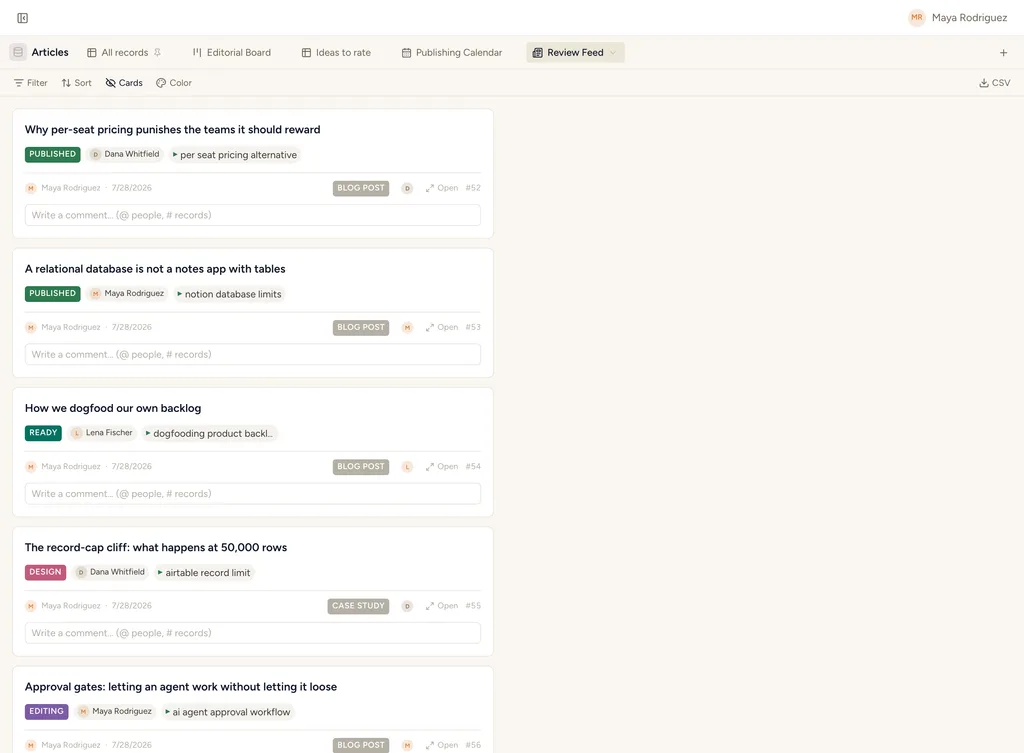
Tuesday: issues with a Triage column
Triage, Backlog, To Do, In Progress. Nothing new is silently swallowed: it waits in Triage until it has a priority and an owner.
agent Ask your AI to propose a type, a priority and labels for the new issue. The Dev Project OS template includes a Triage Bot for this (early access).
- 03
Wednesday: the people who pay you
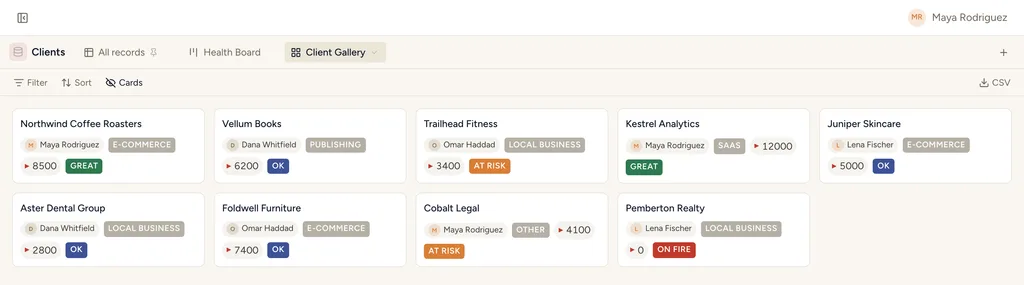
Customers as records, not rows in a payments export. Link each piece of feedback to the customer who sent it, and opening the customer shows everything they asked for.
Ask your AI to tell me which customers reported something we fixed this month, and draft a short note to each.
Swipe to see the whole view - 04
Thursday: what is left before the launch
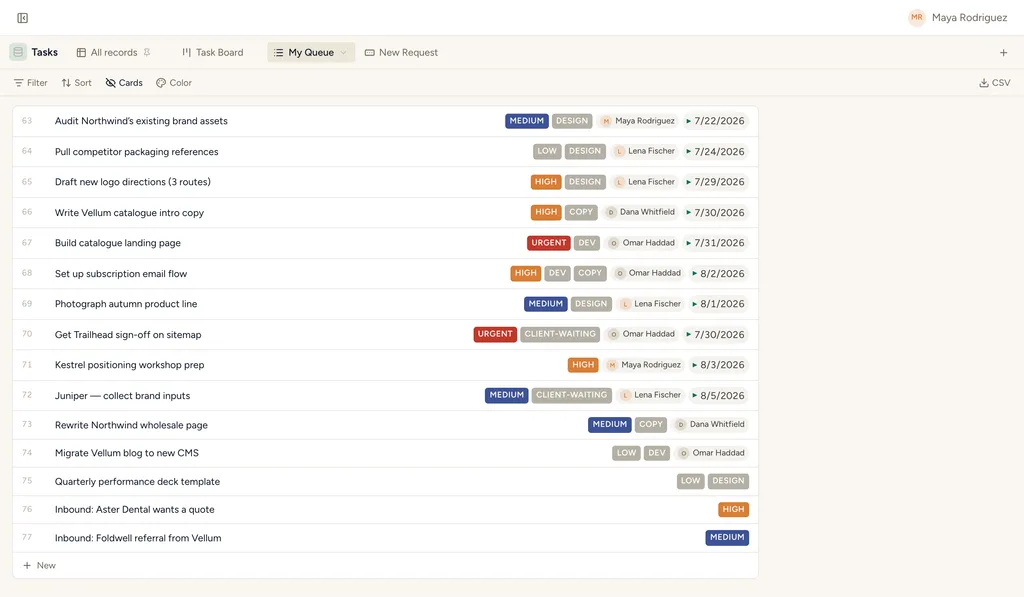
One list of what is due before launch day, with its status. Your AI answers from it, so “are we ready?” is a question, not an afternoon.
Ask your AI to tell me what is still open before Friday’s launch and what is blocked.
Swipe to see the whole view - 05
Friday: your AI, connected
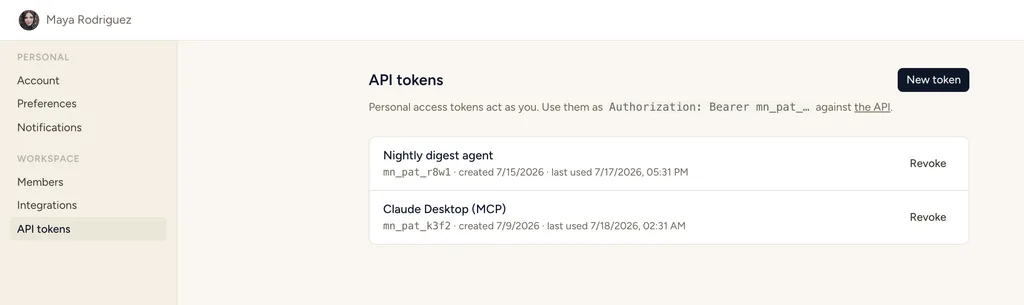
Add StoryOS to Claude or ChatGPT as a connector: no token, no config file. It reads your schema before it writes, and every change it makes carries an agent badge under your name. Your scripts get the REST API, on every plan.
Your own AI
Ask your own AI to…
You already work with an AI all day. Give it the business too: it reads your schema first, its access never exceeds yours, and deletes and customer emails can wait for your yes.
It connects over MCP and reads how your business is laid out before it changes anything. Its changes are badged as the AI’s, under your name, and an admin can require a person’s approval before any AI deletes a record. It runs on the subscription you already have; we never meter it. How StoryOS works with AI
agent Hired agents are early access and run on your own computer, in your own Claude Code. Agents that come with a template install switched off. Today, the way to get work done is to ask your AI; every draft waits for your yes.
- …group this month’s feedback by theme and count who asked for each.
- …tell me which issues have sat in Triage for more than a week.
- …draft the changelog for this release from the issues we closed.
- …tell me which customers asked for this, so I can tell them it shipped.
Templates
Start from a template for your business.
Zero ceremony to start. Add the customer side when the first one writes in.
-
Template
Solo Dev
Issues and releases, zero ceremony: for shipping on vibes and a changelog.
-
Business Pack
Dev Project OS
Issues with a Triage column, sprints and releases, with the Triage Bot.
-
Business Pack
Support Inbox
Customer questions on one board, so nothing gets two replies or none, with a Triage agent.
-
Template
Sales CRM
Accounts, contacts and deals, for when the first customers become a pipeline.
Give the business a home next to the code.
Open source under AGPL-3.0: run it on your own server, or let us host it.