

Business Pack Product & Dev
Dev Project OS
Dev Project OS is a Business Pack for StoryOS that installs four linked databases (Issues, Sprints, Releases and Product Docs), three saved views and one automation, plus a starter agent, the Triage Bot, which stays off until you switch it on. It is for when you want the original dev setup: issues, sprints and releases in one space.
4 databases · 3 views · 1 automation · 1 starter agent
Without it
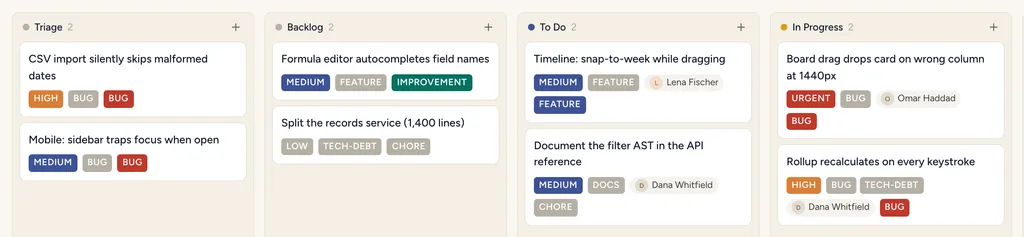
Issues arrive from five places, nobody triages them, and the sprint board is a graveyard of tickets with no type, no priority and no owner.
The map it installs
Four databases, already connected.
- Views
-
- Issue Board
- Bugs
- Release Board
Saved, grouped and filtered already.
- Automation
-
- Notify when a release ships
- Starter agent
-
- Triage Bot
Off until you turn it on. It drafts; you decide.
Every database and its fields
Issues
- Nametitle
- Priority select
Urgent · High · Medium · Low
- Labels multi-select
bug · feature · chore · docs · tech-debt
- Assignee person
- Due Date date
- Type select
Bug · Feature · Improvement · Chore
- State stage
Triage · Backlog · To Do · In Progress · In Review · Done · Canceled
Sprints
- Nametitle
- Status stage
Planned · Active · Done
- Start Date date
- End Date date
- Goal text
Releases
- Nametitle
- Status stage
Planned · In Progress · Released
- Date date
- Link URL
Product Docs
- Nametitle
- Type select
Spec · Decision (ADR) · Runbook · Idea
- Status stage
Draft · Agreed · Superseded
- Owner person
The stages
4 fields move the work along.
- Issues State
-
- Triage
- Backlog
- To Do
- In Progress
- In Review
- Done
- Canceled
agent The template includes the Triage Bot for this (early access). Today, ask your AI to do the same work.
- Sprints Status
-
- Planned
- Active
- Done
- Releases Status
-
- Planned
- In Progress
- Released
- Product Docs Status
-
- Draft
- Agreed
- Superseded
A stage is a real field on every record, so you can filter, group, count and roll it up, and rename any step to your own words.
One sample row
What a issue record looks like on day one.
Dev Project OS installs 11 sample records. This is one of them, from Issues, exactly as it arrives:
| Name | Share dialog loses focus (sample) |
|---|---|
| State | In Progress |
| Type | Bug |
| Priority | High |
| Assignee | you |
Is it for you?
Who it is for
A small product or engineering team without a dedicated PM.
Who it is not for
A solo developer: Solo Dev is lighter. It needs no connections, so it does not read your code repository; issues are records you or your AI create.
The starter agent
Triage Bot
The Triage Bot reads a new issue’s description and proposes a type, priority and labels. You accept or change what it proposes. The point is that nothing sits untriaged, not that a bot decides your roadmap.
It installs switched off. Turn it on and it runs on your own computer through the StoryOS Runner (early access), inside your own Claude Code subscription. StoryOS never meters it, and the pack works without AI at all. How the Runner works
How to install
Three steps, all in the app.
- 01
Open StoryOS
Start a workspace at app.storyos.dev.
- 02
Pick Dev Project OS
Choose Dev Project OS from the Business Packs gallery when you create a workspace, or add it later. Everything it maps is set up together, already linked, with sample data, plus its automation and starter agent.
- 03
Make it yours
Rename anything, add what your business has that the pack doesn’t. Nothing is locked.
Related
FAQ
Dev Project OS: questions people ask
What does Dev Project OS install?
Dev Project OS installs four databases: Issues (six fields), Sprints (four fields), Releases (three fields) and Product Docs (three fields); three saved views: Issue Board, Bugs and Release Board; one automation: Notify when a release ships; a starter agent, the Triage Bot, switched off. The databases are joined by five relations, so a record shows what it belongs to.
Does Dev Project OS come with sample data?
Yes: eleven sample records, so you can see how the work moves before you add your own. Edit or delete them like any record.
Does the Triage Bot run by itself?
Not today. The pack includes it as an early-access agent that installs switched off, and hired agents run on your own computer through the StoryOS Runner, which is in early access, inside your own Claude Code subscription; StoryOS never meters it. To get the same work done now, ask your AI. The pack works without AI at all.
Can I change Dev Project OS after installing it?
Yes. Rename the databases, fields and stages, add the fields your business needs, or delete what you do not use. Nothing is locked.
What does Dev Project OS cost?
There is no separate price for Dev Project OS. StoryOS is priced per workspace: Free is $0 with 2 editors included, Pro is $29 a month with 3, and Business is $99 a month with 5; each extra editor is $12 a month. Viewers and guests are always free.
More like this
All templates and packs-
Template Product & Dev
Dev Project
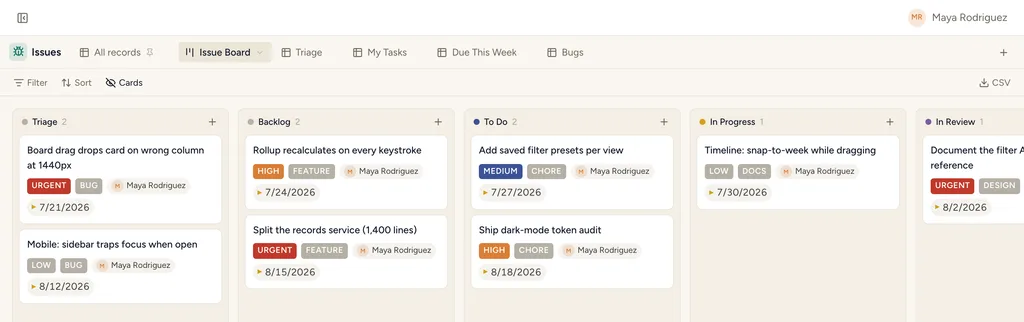
Issues with a Triage inbox, lightweight sprints, releases with changelogs, and specs.
4 databases · 7 views
-
Template Product & Dev
Solo Dev
Issues + releases, zero ceremony — for shipping on vibes and a changelog.
2 databases · 5 views
-
Business Pack Agency
Agency OS
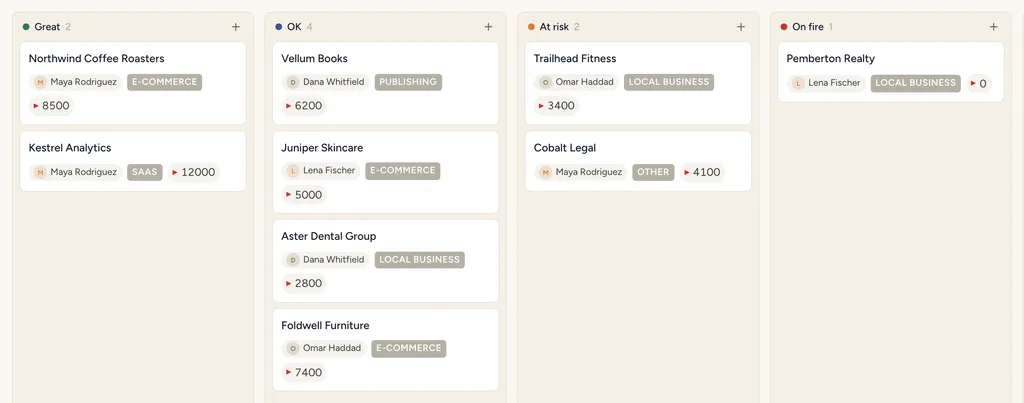
Clients, contacts, projects and a full task system — the agency backbone.
4 databases · 2 views · 1 automation · 1 starter agent
Start with Dev Project OS.
Unlimited records on every plan, and your own AI is never metered.
Pack contents synced from the product’s public preview, 2026-09-02; fields, stages and samples from the product source, 2026-11-18.