Ideas, shoots and clients, finally in one place.
Your videos, posts and the people who pay for them on one map: the video and its shoot, the newsletter and its outline. Ask your AI to do the busywork; you do the part only you can.
Videos Posts Shoots Clients , linked.
A week
A week for a one-person channel.
The same few things carry the whole business, so the video, its shoot and the client who paid for it are never three separate lists.
- 01
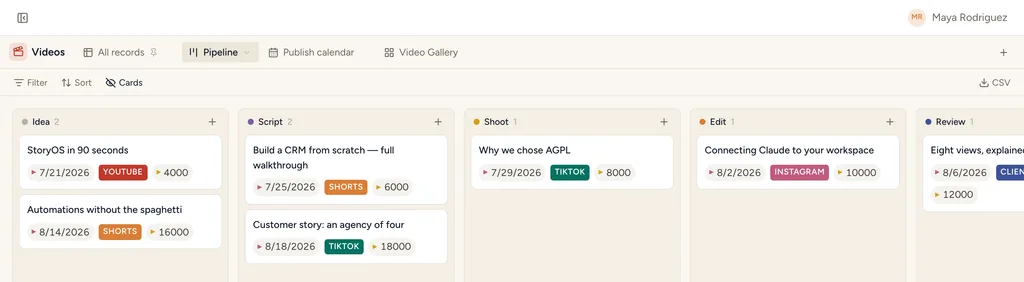
Monday: every video where you can find it
Your channel as cards, because you recognise a thumbnail faster than a row, each with its publish date, length and visibility.
Ask your AI to find the ideas that have sat untouched for a month.
- 02
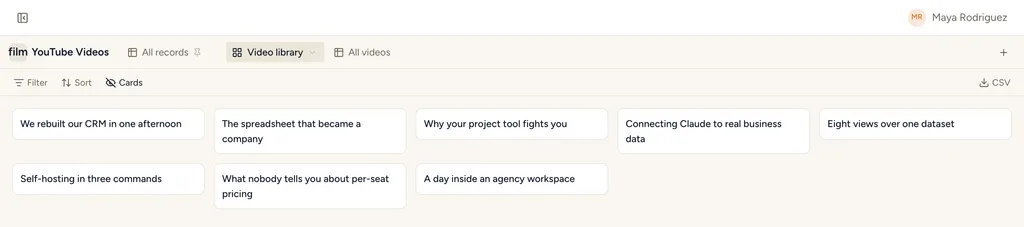
Tuesday: from idea to edit
Idea, Script, Shoot, Edit. Each video carries its date and platform, and the tasks and costs behind it link to the video, not to a note somewhere else.
Ask your AI to turn this outline into a script draft on the video.
- 03
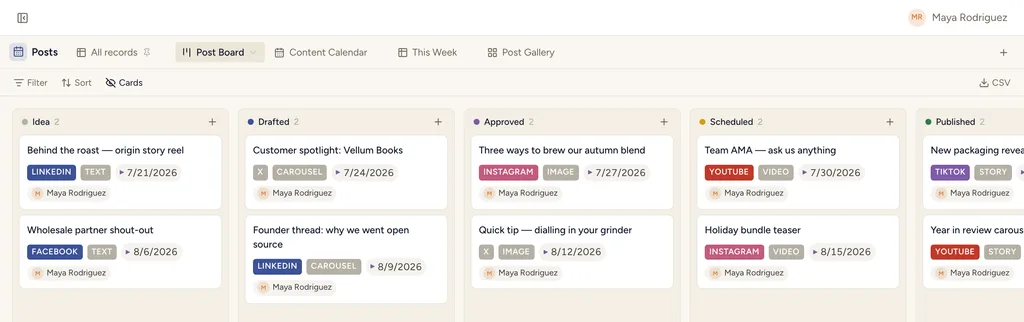
Wednesday: each post, per platform
Idea, drafted, approved, scheduled. Each post carries its platform and format, so the gap in next week shows up while there is still time to fill it.
Ask your AI to tell me what is scheduled this week and which platform has nothing yet.
- 04
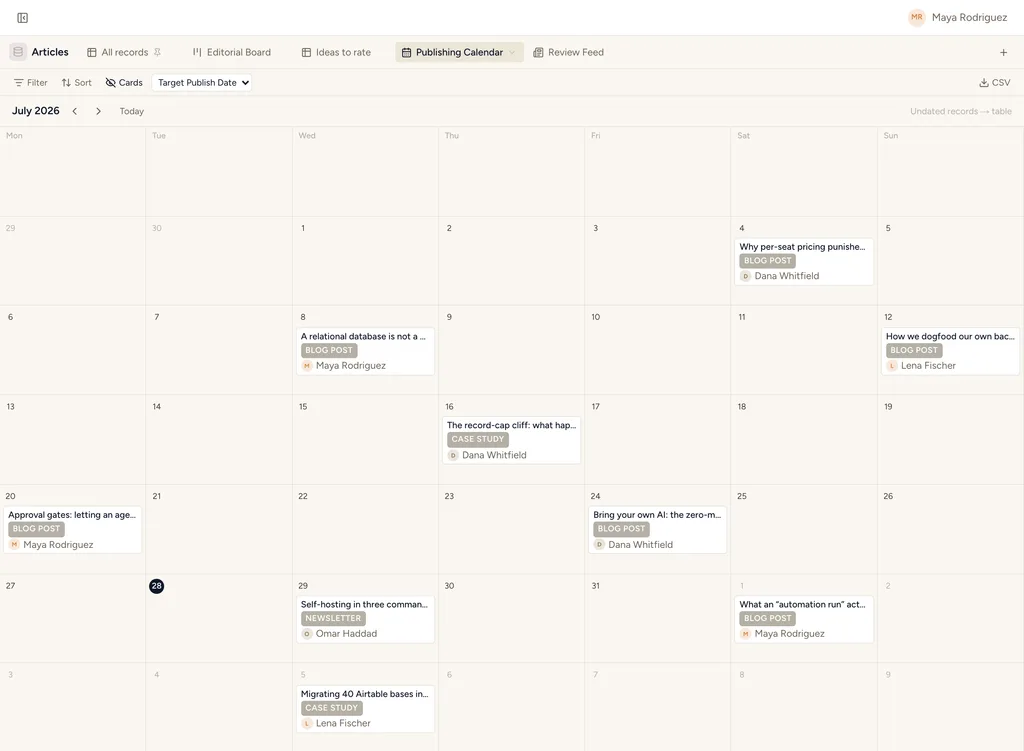
Thursday: shoots and deliveries on the calendar
Give a task a date and it lands on the calendar, by month, week or day. A shoot on Thursday, a delivery to a client on Friday, both where you can see them.
Swipe to see the whole view - 05
Friday: the newsletter gets its outline
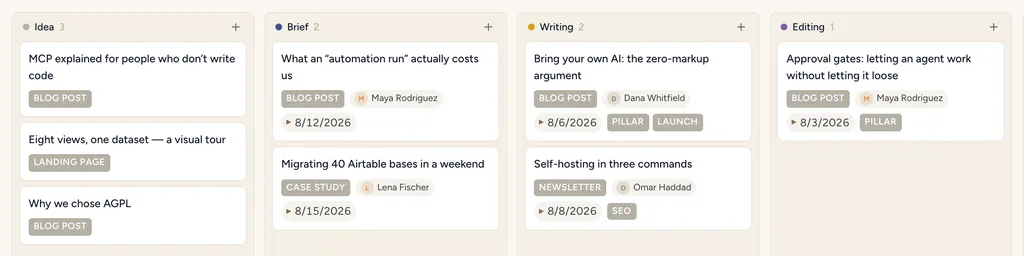
Write a newsletter or a blog? The pieces move from Idea to Brief to Writing, each with its date, so Monday starts with a plan.
agent Ask your AI to write a first outline onto the article. The Content Engine template includes a Draft Assistant for this (early access).
Your own AI
Ask your own AI to…
Connect Claude or ChatGPT and treat it like the producer you have not hired yet. It works on the same videos, posts and shoots you do.
It connects over MCP and reads how your business is laid out before it changes anything. Its changes are badged as the AI’s, under your name, and an admin can require a person’s approval before any AI deletes a record. It runs on the subscription you already have; we never meter it. How StoryOS works with AI
agent Hired agents are early access and run on your own computer, in your own Claude Code. Agents that come with a template install switched off. Today, the way to get work done is to ask your AI; every draft waits for your yes.
- …list what is due this week, shoot by shoot.
- …turn this video’s script into a post for each platform.
- …log this sponsor’s brief as a client, linked to the video it pays for.
- …tell me which client deliveries are due before their shoot is booked.
Templates
Start from a template for your business.
Start with the part of the work that hurts most, and add the rest when you need it.
-
Template
Video Production
Videos from idea to published, with the production tasks, the costs and a publish calendar.
-
Template
Social Media Calendar
Posts by channel and format, each with a publish date, on a board and a calendar.
-
Business Pack
Content Engine
Articles, topics and campaigns, already linked, with an editorial board and the Draft Assistant.
-
Template
Author Studio
A book chapter by chapter, with research notes, launch tasks and appearances.
Run the whole channel from one place.
Start with a production board. Add posts and clients when you need them.