

Business Pack Marketing
Content Engine
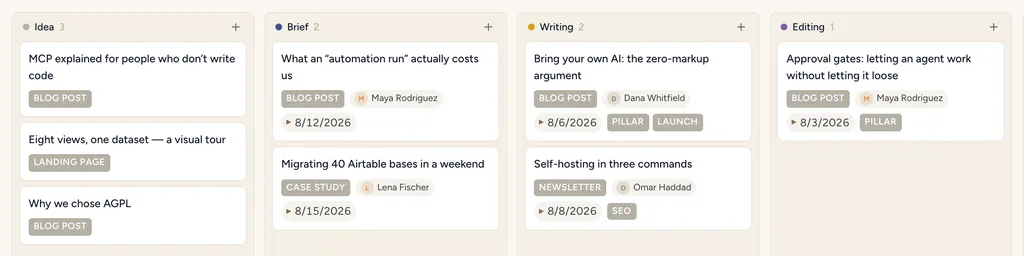
Content Engine is a Business Pack for StoryOS that installs three linked databases (Articles, Topics and Campaigns), three saved views and one automation, plus a starter agent, the Draft Assistant, which stays off until you switch it on. It is for when you publish articles and need to see what is an idea, being written, in edit or ready.
3 databases · 3 views · 1 automation · 1 starter agent
Without it
Ideas rot in a doc, drafts live in Google Drive, and nobody can say which articles are actually moving this week without opening six tabs.
The map it installs
Three databases, already connected.
- Views
-
- Editorial Board
- Ideas to rate
- Topic map
Saved, grouped and filtered already.
- Automation
-
- Notify when an article’s stage changes
- Starter agent
-
- Draft Assistant
Off until you turn it on. It drafts; you decide.
Every database and its fields
Articles
- Nametitle
- Content Type select
Blog post · Newsletter · Case study · Landing page
- Author person
- Editor person
- Target Publish Date date
- Primary Keyword text
- Published URL URL
- Word Count number
- Labels multi-select
pillar · seo · launch · evergreen
- Idea Rating (1-5) number
- Draft rich text
- Stage stage
Idea · Brief · Writing · Editing · Design · Ready · Published
Topics
- Nametitle
- Priority select
Now · Next · Later
- Search Volume /mo number
Campaigns
- Nametitle
- Status stage
Planned · Running · Done
- Owner person
- Budget number
The stages
2 fields move the work along.
- Articles Stage
-
- Idea
- Brief
- Writing
- Editing
- Design
- Ready
- Published
agent The template includes the Draft Assistant for this (early access). Today, ask your AI to do the same work.
- Campaigns Status
-
- Planned
- Running
- Done
A stage is a real field on every record, so you can filter, group, count and roll it up, and rename any step to your own words.
One sample row
What a article record looks like on day one.
Content Engine installs 9 sample records. This is one of them, from Articles, exactly as it arrives:
| Name | Why stories beat pitches (sample) |
|---|---|
| Stage | Writing |
| Content Type | Blog post |
| Author | you |
| Target Publish Date | 6 days after you install |
Is it for you?
Who it is for
A content team shipping on a calendar.
Who it is not for
Posting across social platforms: the Social Media Calendar template fits that. The Draft Assistant writes an outline, not the article.
The starter agent
Draft Assistant
When an article moves to Brief, the Draft Assistant writes a first outline onto the record itself. A person still writes the piece: the agent removes the blank page, not the judgement.
It installs switched off. Turn it on and it runs on your own computer through the StoryOS Runner (early access), inside your own Claude Code subscription. StoryOS never meters it, and the pack works without AI at all. How the Runner works
How to install
Three steps, all in the app.
- 01
Open StoryOS
Start a workspace at app.storyos.dev.
- 02
Pick Content Engine
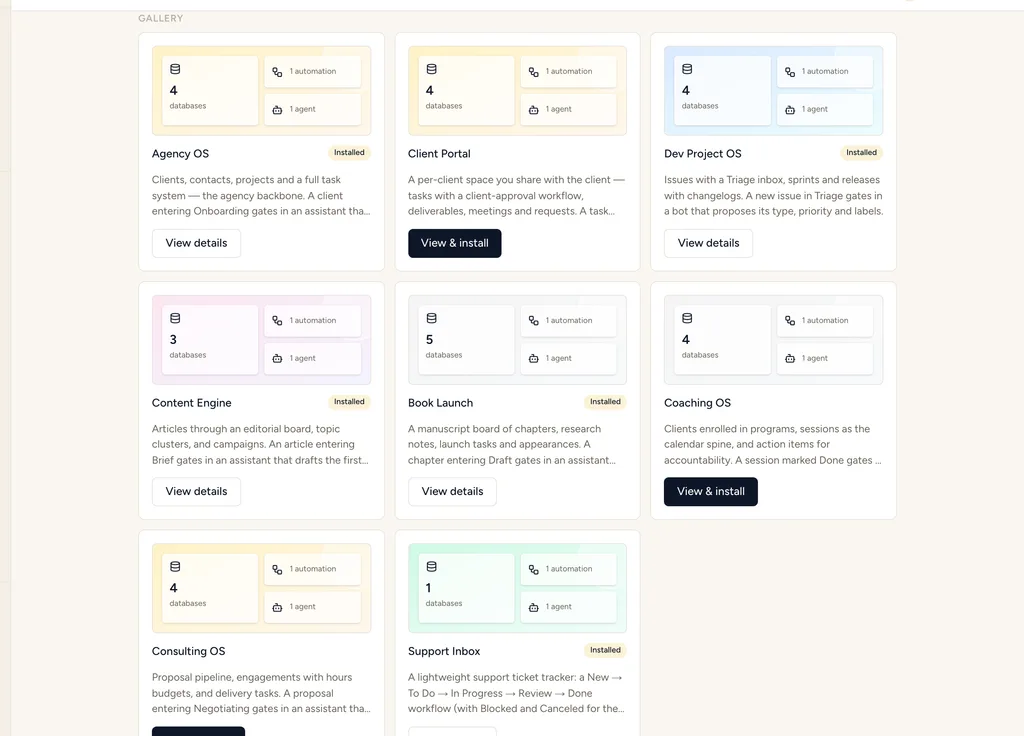
Choose Content Engine from the Business Packs gallery when you create a workspace, or add it later. Everything it maps is set up together, already linked, with sample data, plus its automation and starter agent.
- 03
Make it yours
Rename anything, add what your business has that the pack doesn’t. Nothing is locked.
Related
FAQ
Content Engine: questions people ask
What does Content Engine install?
Content Engine installs three databases: Articles (eleven fields), Topics (two fields) and Campaigns (three fields); three saved views: Editorial Board, Ideas to rate and Topic map; one automation: Notify when an article’s stage changes; a starter agent, the Draft Assistant, switched off. The databases are joined by two relations, so a record shows what it belongs to.
Does Content Engine come with sample data?
Yes: nine sample records, so you can see how the work moves before you add your own. Edit or delete them like any record.
Does the Draft Assistant run by itself?
Not today. The pack includes it as an early-access agent that installs switched off, and hired agents run on your own computer through the StoryOS Runner, which is in early access, inside your own Claude Code subscription; StoryOS never meters it. To get the same work done now, ask your AI. The pack works without AI at all.
Can I change Content Engine after installing it?
Yes. Rename the databases, fields and stages, add the fields your business needs, or delete what you do not use. Nothing is locked.
What does Content Engine cost?
There is no separate price for Content Engine. StoryOS is priced per workspace: Free is $0 with 2 editors included, Pro is $29 a month with 3, and Business is $99 a month with 5; each extra editor is $12 a month. Viewers and guests are always free.
More like this
All templates and packs-
Template Marketing
Calendar
A ready-to-sync event calendar with dates, notes, status and location.
1 database · 2 views
-
Template Marketing
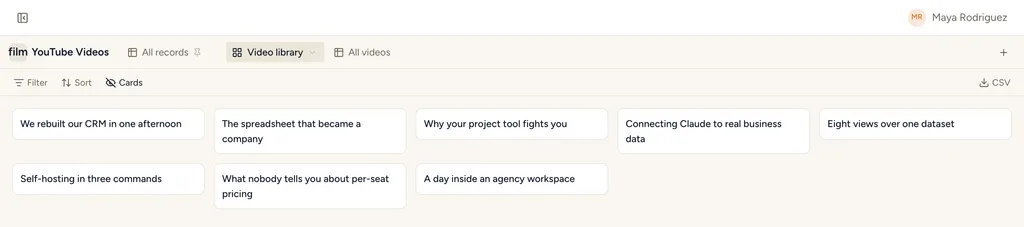
YouTube videos
A source-ready catalog for videos from a connected YouTube channel.
1 database · 2 views
-
Template Marketing
YouTube comments
A source-ready inbox for channel comments and replies.
1 database · 2 views
Start with Content Engine.
Unlimited records on every plan, and your own AI is never metered.
Pack contents synced from the product’s public preview, 2026-09-02; fields, stages and samples from the product source, 2026-11-18.