What waits for your yes.
Your AI drafts and proposes. The moves you gate, like an email to a customer or deleting records, wait in one Inbox until a person approves them. Your AI cannot approve itself.
Try it
One held email. Your call.
An agent drafted a reply to a new enquiry and asked to send it. Sending is gated, so it waits here. Approve it, or reject it with a reason.
Maya needs your approval to run
Held by the gate on customer email · now
Enquiries · a bakery opening its first shop
Email hello@bakery.example: Your cake shop website
Hi, thanks for getting in touch! A simple site with your cakes, prices and an order form is right up our street. Could you pop in for a coffee on Thursday or Friday so we can talk it through?
Sent, exactly as staged.
The email went out with the words you read above, nothing added afterwards.


Gates
Gate what matters, nothing else.
A gate holds an action until a person decides. It lives in the platform, not the prompt, so an AI that ignores its instructions still cannot get past one.
Where a gate comes from
- On an automation action
- An action such as an email to a customer or an outbound API call can require approval, and some do by default.
- On one agent
- An agent’s owner can make its proposed writes wait for approval.
- Across the workspace
- An admin can say that deleting records needs approval, or hold one agent’s creates and updates. Declared through the API today.
One Inbox
What happens to a held action.
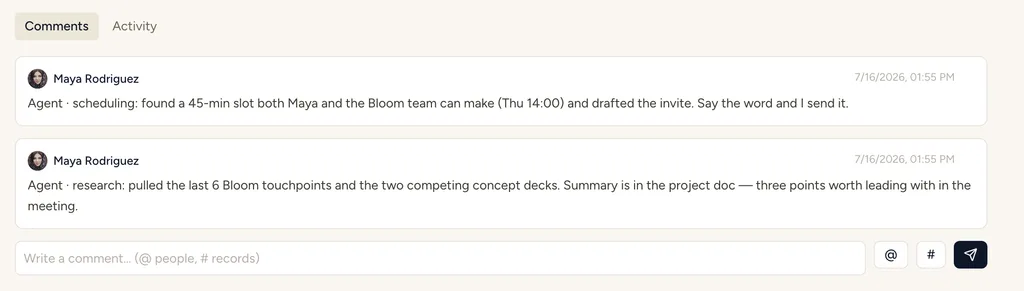
Deletes and outward messages an agent triggers can be held, whichever rule holds them. They all wait in the same place, and they all work the same way.
- One Inbox
- Every held action lands in the same Inbox as the same kind of approval, whichever rule held it.
- Exactly what was staged
- Approving applies the values that were held, nothing sent afterwards. Rejecting discards them.
- Your AI cannot approve itself
- It can see what is waiting, but approvals are made by people. It cannot change the gates either.
- A record of the run
- A run keeps what started it, each action it took and each action’s status: succeeded, failed or waiting on approval.
Not everything is held, and we say so.
Gates cover the moves you choose. These are not held today:
- Emails to members of your own workspace.
- Destinations an admin fixed in advance, such as outbound webhook subscriptions and Calendar.
The approval gates docs list the details, including a known gap.
Mistakes
A wrong field is refused, by name.
Every write is checked on the server against your real fields and options. If your AI gets one wrong, it gets an error that names the field, and nothing is written. It can read the schema and try again.
AI writes Budjet: 3000
StoryOS refused: no field named “Budjet” on Enquiries
Record unchanged