

Business Pack People & Ops
Support Inbox
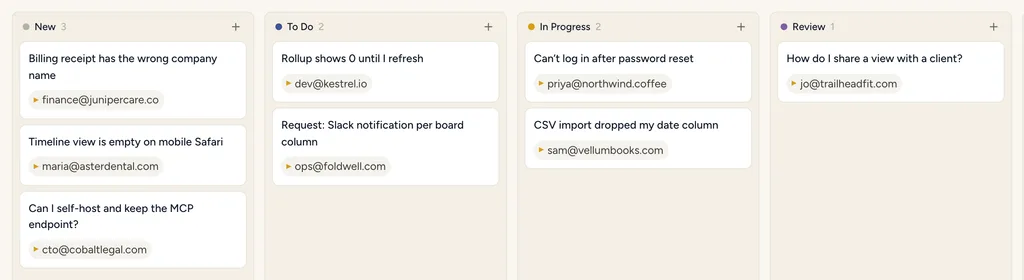
Support Inbox is a Business Pack for StoryOS that installs one database (Tickets), one saved view and one automation, plus a starter agent, the Triage agent, which stays off until you switch it on. It is for when people send you problems and you need to make sure none get lost.
1 database · 1 view · 1 automation · 1 starter agent
Without it
Support lives in a shared mailbox. Two people reply to the same thing, one thing gets no reply at all, and nobody can tell you what’s open right now.
The map it installs
Tickets, ready to fill in.
- Views
-
- Board
Saved, grouped and filtered already.
- Automation
-
- Notify on status change
- Starter agent
-
- Triage
Off until you turn it on. It drafts; you decide.
Every database and its fields
Tickets
- Nametitle
- Description rich text
- Requester Email email
- Status stage
New · To Do · In Progress · Review · Done · Blocked · Canceled
The stages
One field moves the work along.
- Tickets Status
-
- New
- To Do
- In Progress
- Review
- Done
- Blocked
- Canceled
agent The template includes the Triage agent for this (early access). Today, ask your AI to do the same work.
A stage is a real field on every record, so you can filter, group, count and roll it up, and rename any step to your own words.
One sample row
What a ticket record looks like on day one.
Support Inbox installs one sample record. This is one of them, from Tickets, exactly as it arrives:
| Name | Cannot log in |
|---|---|
| Status | New |
Is it for you?
Who it is for
A team answering customer problems without a helpdesk product.
Who it is not for
A team that needs a full helpdesk with email threads and response-time targets: this is one database, one board, one automation and one agent.
The starter agent
Triage
When a ticket enters New, the Triage agent drafts a first response on it for you to check before anything is sent. This is the lightest pack here on purpose: one database, one board, one automation, one agent.
It installs switched off. Turn it on and it runs on your own computer through the StoryOS Runner (early access), inside your own Claude Code subscription. StoryOS never meters it, and the pack works without AI at all. How the Runner works
How to install
Three steps, all in the app.
- 01
Open StoryOS
Start a workspace at app.storyos.dev.
- 02
Pick Support Inbox
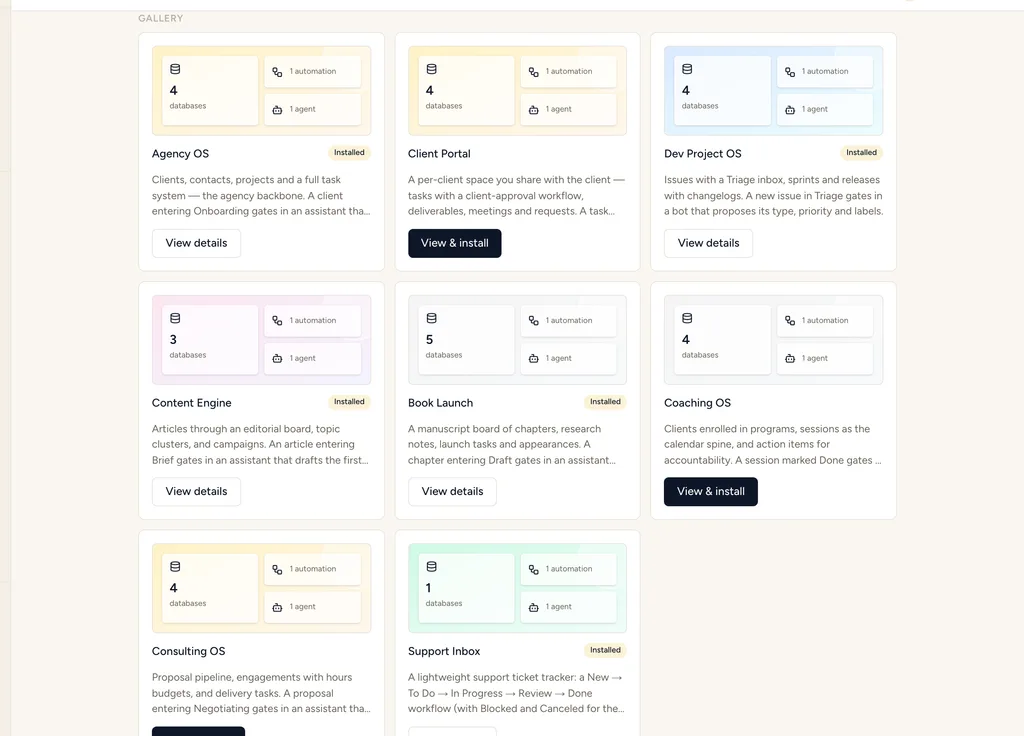
Choose Support Inbox from the Business Packs gallery when you create a workspace, or add it later. Everything it maps is set up together, already linked, with sample data, plus its automation and starter agent.
- 03
Make it yours
Rename anything, add what your business has that the pack doesn’t. Nothing is locked.
Related
FAQ
Support Inbox: questions people ask
What does Support Inbox install?
Support Inbox installs one database: Tickets (three fields); one saved view: Board; one automation: Notify on status change; a starter agent, the Triage agent, switched off.
Does Support Inbox come with sample data?
Yes: one sample record, so you can see how the work moves before you add your own. Edit or delete them like any record.
Does the Triage agent run by itself?
Not today. The pack includes it as an early-access agent that installs switched off, and hired agents run on your own computer through the StoryOS Runner, which is in early access, inside your own Claude Code subscription; StoryOS never meters it. To get the same work done now, ask your AI. The pack works without AI at all.
Can I change Support Inbox after installing it?
Yes. Rename the databases, fields and stages, add the fields your business needs, or delete what you do not use. Nothing is locked.
What does Support Inbox cost?
There is no separate price for Support Inbox. StoryOS is priced per workspace: Free is $0 with 2 editors included, Pro is $29 a month with 3, and Business is $99 a month with 5; each extra editor is $12 a month. Viewers and guests are always free.
More like this
All templates and packs-
Template People & Ops
Org Chart
Teams, people and reporting lines — the company directory that stays current.
2 databases · 2 views
-
Template People & Ops
Time Off
Vacations, sick leave and overtime — who is out, when, and is it approved.
3 databases · 4 views
-
Business Pack Agency
Agency OS
Clients, contacts, projects and a full task system — the agency backbone.
4 databases · 2 views · 1 automation · 1 starter agent
Start with Support Inbox.
Unlimited records on every plan, and your own AI is never metered.
Pack contents synced from the product’s public preview, 2026-09-02; fields, stages and samples from the product source, 2026-11-18.