Install a whole business in one click — StoryOS templates
A blank workspace is a cruel gift. StoryOS templates ship the databases, relations, fields, views, and sample records already wired — so the tool works the moment you open it, and an agent can operate it on day one.

Ievgen Krasovytskyi
Founder, StoryOS ·
The worst moment in any powerful tool is the empty state. You signed up because you have real work to organize, and the tool answers with a blinking cursor and a “create your first database” button. Now you’re not doing your work — you’re doing data modeling, a discipline you didn’t sign up to learn, at the exact moment your motivation is highest and your patience is thinnest. Most people never recover from that first hour. The blank canvas isn’t freedom; it’s a tax.
StoryOS templates exist to skip the tax. Each one installs a working slice of a business — not an empty schema, a running one.
What’s actually in a template
A template isn’t a page of placeholder text. It’s the whole structure, wired the way it should be:
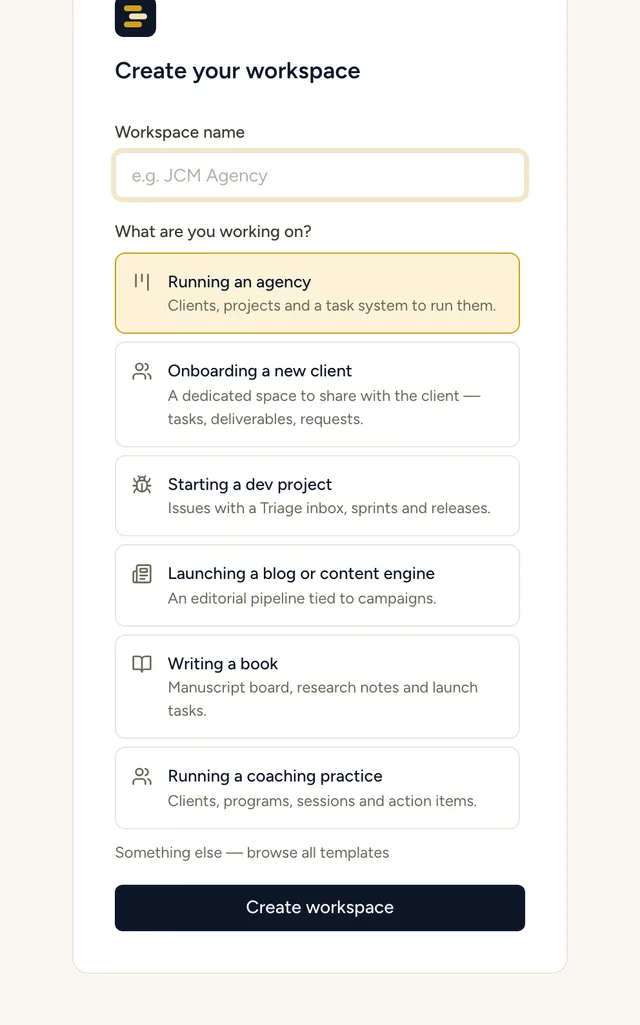 The gallery: pick a pack and the databases, relations, fields and views are created for you.
- The databases, named and typed for the job — Clients, Projects, Tasks, not
Table 1andTable 2. - Real relations between them, so a task belongs to a project and a project belongs to a client, with the links already drawn. This is the part you can’t get from a spreadsheet and the part that takes longest to build by hand.
- Fields with the right types — selects with sensible options, dates, people, formulas, and rollups that already compute across the relations.
- Views that match how the work is done — a board for the pipeline, a calendar for the schedule, a table for the master list, filtered and colored so they’re useful on open.
- Sample records, so the moment you land you see a populated, working system — not an intimidating void. Delete them when you’re ready; keep them while you learn the shape.
You start from something that works and make it yours by editing, which is a hundred times easier than building from nothing. Renaming a field and adjusting a view is a Tuesday. Designing a relational schema from scratch is a project.
The ones we ship
The starting library covers the jobs teams actually run:
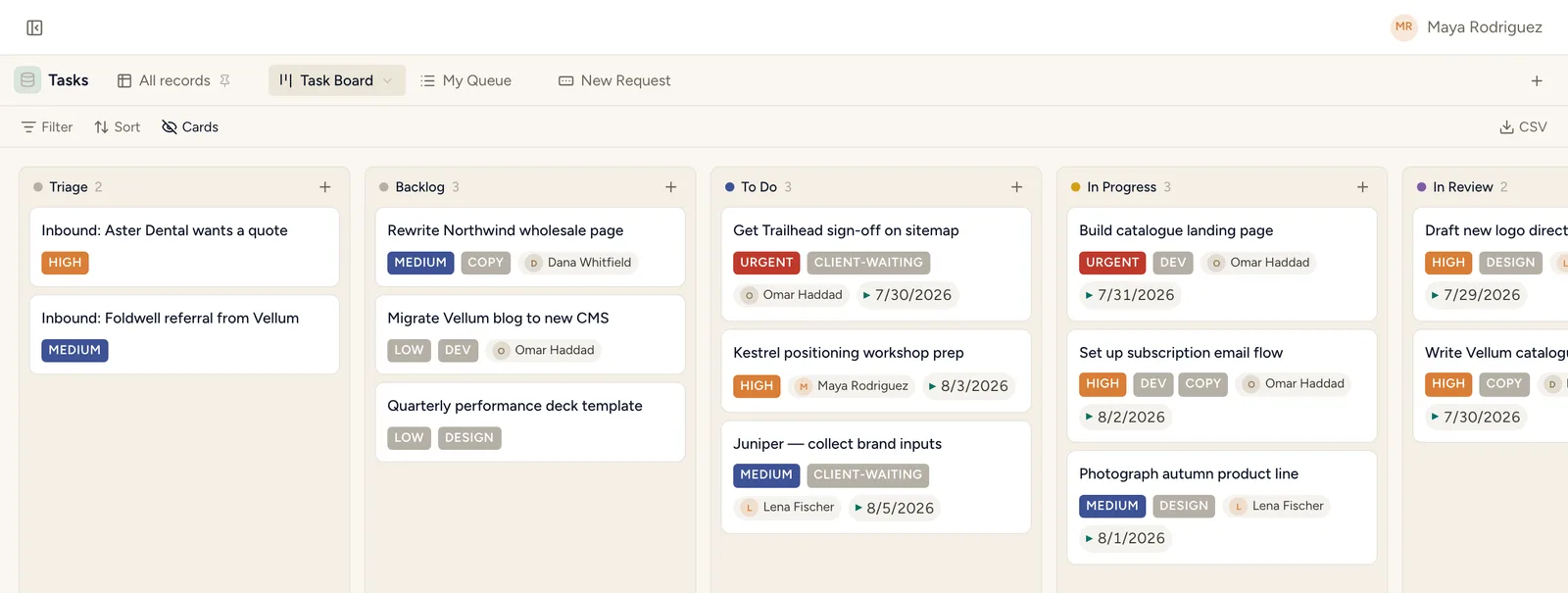 Client Projects & Tasks, installed: the task board is ready before your coffee is.
- Client Projects & Tasks — the agency backbone: clients, contacts, projects, and a task system, all linked.
- Content Pipeline — ideas rated and promoted, articles moving through an editorial board, organized by topic cluster.
- Social Media Calendar — posts planned around calendar moments, across platforms, with an approval flow.
- Sales CRM — accounts, contacts, opportunities, and a pipeline board you run like a deal desk.
- Campaigns HQ — campaign briefs, audiences, and the metrics that matter, target versus actual.
- Meetings & Action Items — capture notes for any meeting and make sure the action items don’t evaporate.
Pick the closest one, install it, and you’re editing a real system in minutes instead of architecting one over a weekend. Browse them all →
Why templates matter more when agents are involved
Here’s the part that’s specific to StoryOS, and it’s the reason we care about templates more than a typical tool would.
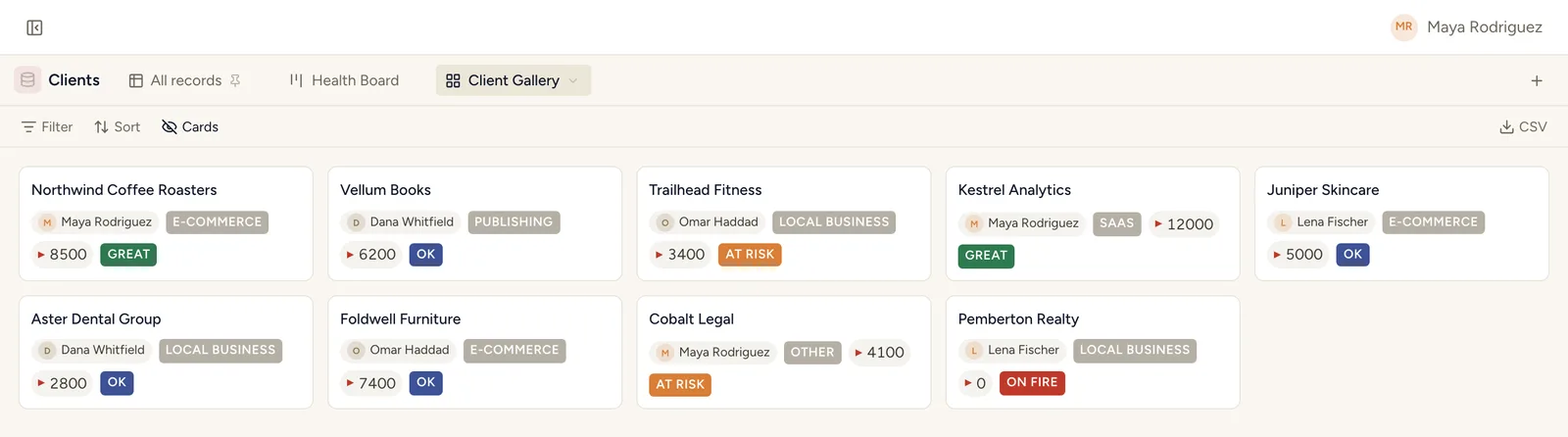 Structured from day one — which is exactly what an agent needs to act safely.
An agent needs structure to be useful. Point an assistant at a blank workspace and there’s nothing to query, nothing to move, no relations to reason over — it can create scaffolding, but it’s working in a vacuum. Point it at a template-installed workspace and it lands in a world that already makes sense: a Clients database it can look up, a pipeline board it can advance cards on, relations it can traverse to answer “what’s at risk for this account.”
A template is a coherent, described schema — exactly what the MCP server exposes to Claude and ChatGPT. So installing a template doesn’t just save you the setup. It gives the agent a working environment on day one. The same structure that makes the tool usable for a human makes it operable for a program. Human-usable and agent-operable turn out to be the same design problem, and a good template solves both at once.
Install a business, or install the whole thing
Templates are one kind of one-click. There’s a bigger one underneath.
Because StoryOS is open source and self-hostable, the entire platform is a one-command install too. One docker compose up brings the full stack live on your own box — API, web app, object storage, and the MCP server. Then you install a template into it, and inside of a few minutes you’ve gone from nothing to a running, self-hosted, agent-ready operating system for a real business function, with your data on your own hardware and no feature caps in sight.
That’s the promise we’re chasing: the distance between “I have a job to organize” and “I have a working system an agent can run” should be one click, then another. No blank-canvas tax. No weekend of schema design. No paywall between you and the useful part. Just a business you can install, edit, and own.
Run your business on StoryOS.
Open source, self-hostable, agent-native. Free plan, 30-day Pro trial, no card — and your own AI is never metered.