For creators & solo businesses
Your content, clients and calendar — one system you own.
Coaching clients, content pipeline, social calendar and the money — modeled as connected data instead of six apps and a notes graveyard. With an agent handling the production busywork.

The creator stack is six subscriptions pretending to be a business.
- Ideas in a notes app, scripts in docs, the posting schedule in a spreadsheet, clients in another tool — and none of it knows what the others are doing.
- Every platform wants a monthly fee and per-feature upsells, and the moment you grow, the per-seat and usage meters start climbing.
- You are the operations department. Every hour spent chasing your own pipeline is an hour not spent making the thing.
StoryOS models a creator business the way it actually flows — from idea to published to paid.
Databases
Ideas rated and clustered, moving through an editorial pipeline.
The social calendar — what goes where, when, in which format.
Coaching or client work with notes, action items and history attached.
Relations & roll-ups
A post links to its topic, a session links to its client, and rollups show what shipped this month and who needs follow-up — without a single spreadsheet formula.
Views that fit the work
The publishing schedule on a month grid — drag to reschedule.
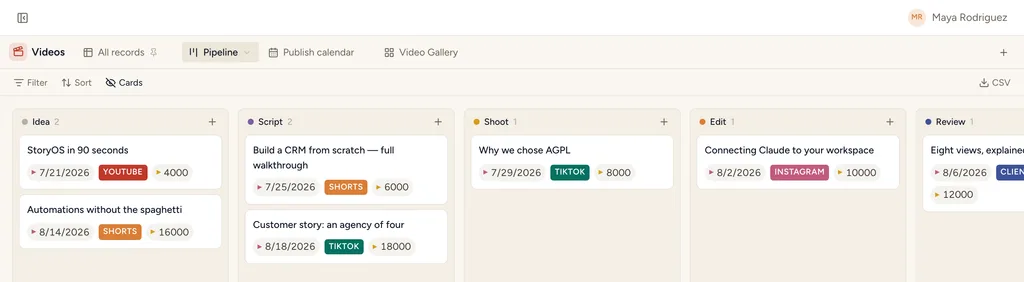
The pipeline: idea, scripted, recorded, edited, published.
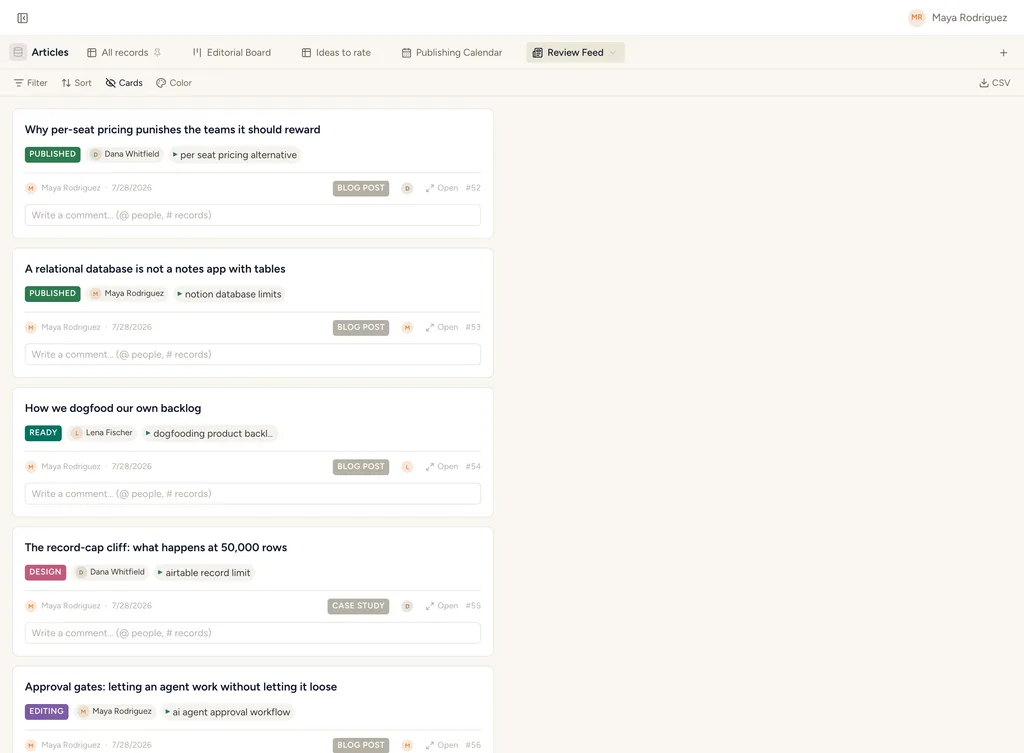
Review drafts as a stream — approve from your phone.
From scattered ideas to a shipping schedule you can actually keep.
Ideas, scripts, edits and publish dates are the same records — so a piece can never be "nearly done" in three places at once.
Keep every idea where you can find it
A library of ideas with the hook, the format and the audience question it answers. Recognition beats scanning, so the gallery is the default lens — the same records a table would show.
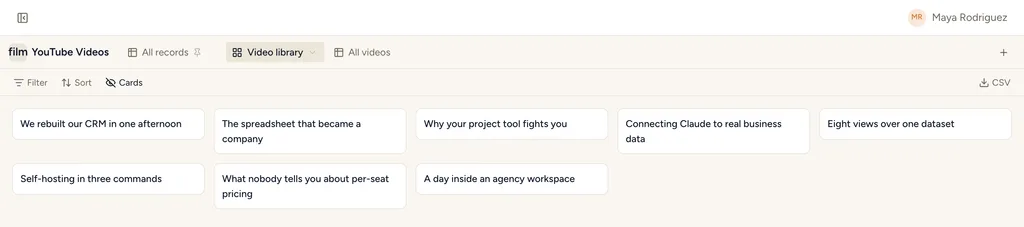
Production is a board, not a memory
Script, shoot, edit, thumbnail, publish — each a stage a piece moves through. The one that slipped is visible now instead of on the publish date.
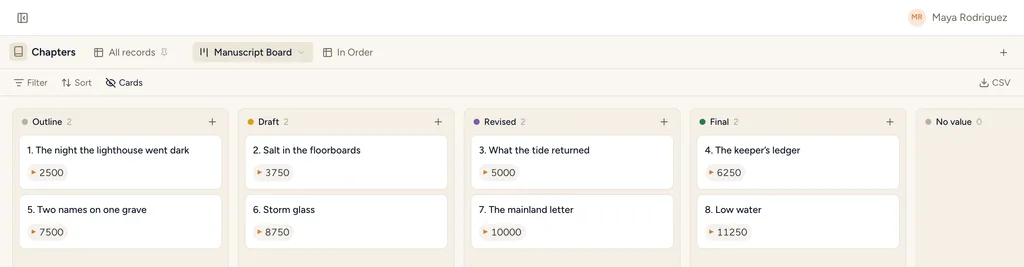
Long work gets its own spine
A book, a course, a series: chapters or modules as ordered records with word counts and themes, so progress is a number rather than a feeling.
Review the queue, then schedule it
A feed to approve finished work card by card, and a calendar that places it on the day it goes out. Both read the same records — approving something does not mean re-entering it anywhere.
Then the agent becomes the production assistant you couldn’t hire.
Because the structure is a described schema, Claude or ChatGPT can work it through the MCP server — grounded in your real records, validated on every write. A few of the loops it runs:
Run creators on StoryOS.
Install the “Coaching Practice” template and you're editing a working system in minutes. Free, open source, and yours.