Templates · Creators
Coaching Practice
Clients, programs, sessions with notes, and action items — your whole practice, linked.
Session notes are scattered, action items get promised and forgotten, and you rebuild each client’s history from memory before every call.
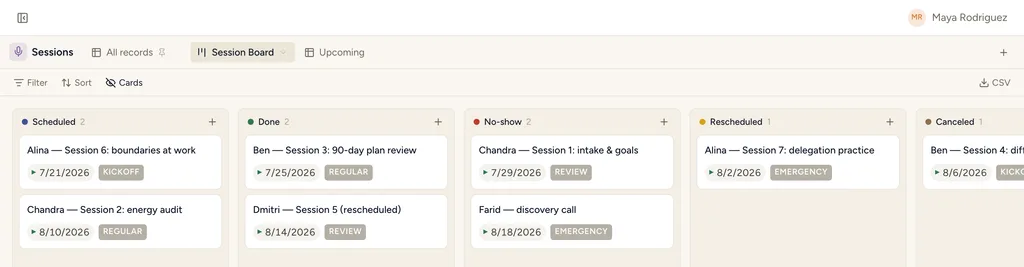
Coaching Practice, installed — the Client Board view with sample records already in it.
What gets installed
4 connected databases, with fields, relations and views pre-wired.
Clients
Programs
Sessions
Action Items
Ships with 8 saved views: Client Board (board) · Renewals Coming (table) · Session Board (board) · Upcoming (table) · Action Board (board) · Triage (table) · My Tasks (table) · Due This Week (table)
How this template works
How this works
Clients enroll in Programs; Sessions are the calendar spine; Action Items keep clients accountable between sessions.
The loop
After each session: log notes, set the client's action items, schedule the next session. The week starts from the Sessions calendar.
Then put an agent on it
A session marked Done wakes an agent that drafts the notes and splits out the action items as real records with owners and dates.
It runs on your own Claude or ChatGPT over MCP — never metered, never marked up — and every move it makes waits at an approval gate. How agent runs work →
Install Coaching Practice in one click.
Start free — 30 days of Pro, no card. Unlimited records, and your own AI is never metered.
Template contents synced from the product registry, 2026-07-26.