Templates · Creators
Consulting Engagements
Proposal pipeline, engagements with hours budgets, and delivery boards.
The pipeline is a spreadsheet, the hours budget is a different spreadsheet, and you learn you’re over budget when you invoice.
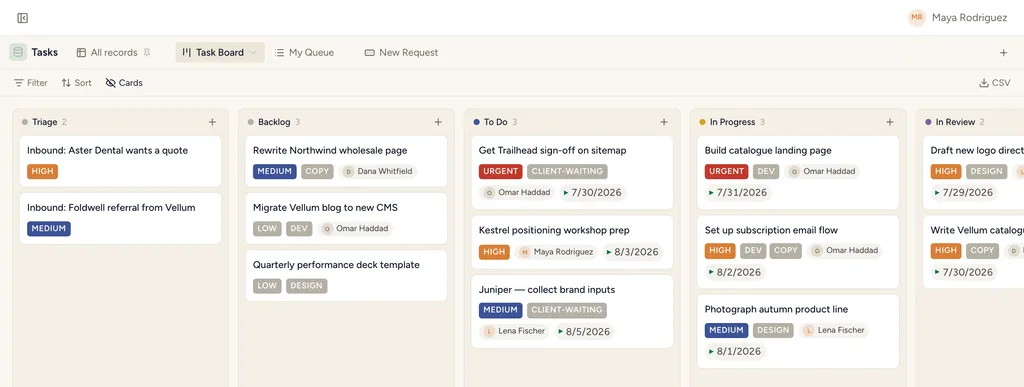
A real board view in StoryOS — the shape Consulting Engagements installs.
What gets installed
4 connected databases, with fields, relations and views pre-wired.
Clients
Proposals
Engagements
Deliverables & Tasks
Ships with 9 saved views: Pipeline Board (board) · Open (table) · Engagement Board (board) · Ending Soon (table) · Engagement Timeline (timeline) · Delivery Board (board) · Triage (table) · My Tasks (table)
How this template works
How this works
Leads become Engagements (with scope, rate and status); Delivery Tasks carry the work. The pipeline board on Engagements is the business at a glance.
Then put an agent on it
An agent compares hours used against the engagement budget and raises the ones trending over before the month closes.
It runs on your own Claude or ChatGPT over MCP — never metered, never marked up — and every move it makes waits at an approval gate. How agent runs work →
Install Consulting Engagements in one click.
Start free — 30 days of Pro, no card. Unlimited records, and your own AI is never metered.
Template contents synced from the product registry, 2026-07-26.