Templates · Marketing
YouTube metrics
Daily video metric snapshots ready for the YouTube metrics source.
Retention and click-through live in YouTube Studio, disconnected from the decisions — thumbnail, title, topic — that moved them.
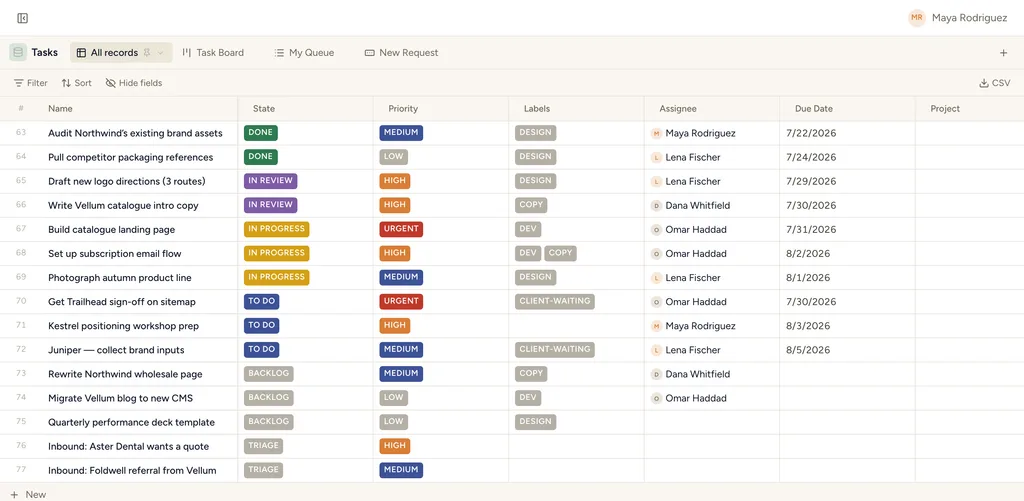
A real table view in StoryOS — the shape YouTube metrics installs.
What gets installed
1 connected database, with fields, relations and views pre-wired.
YouTube Metrics
Ships with 1 saved view: Latest snapshots (table)
How this template works
YouTube metrics
Create this database from Settings → Integrations → YouTube, then add the daily metrics source. Provide video ids directly or pair it with a YouTube videos source.
Then put an agent on it
An agent can annotate each week’s numbers against what changed, so the channel review starts from evidence.
It runs on your own Claude or ChatGPT over MCP — never metered, never marked up — and every move it makes waits at an approval gate. How agent runs work →
More marketing templates
Calendar
A ready-to-sync event calendar with dates, notes, status and location.
YouTube videos
A source-ready catalog for videos from a connected YouTube channel.
YouTube comments
A source-ready inbox for channel comments and replies.
See the bigger picture: how marketing teams run on StoryOS →
Install YouTube metrics in one click.
Start free — 30 days of Pro, no card. Unlimited records, and your own AI is never metered.
Template contents synced from the product registry, 2026-07-26.