Agents · For agencies
Client Status Roll-ups
Every morning: open work, at-risk deliverables and the drafted update — per client, before you log on.
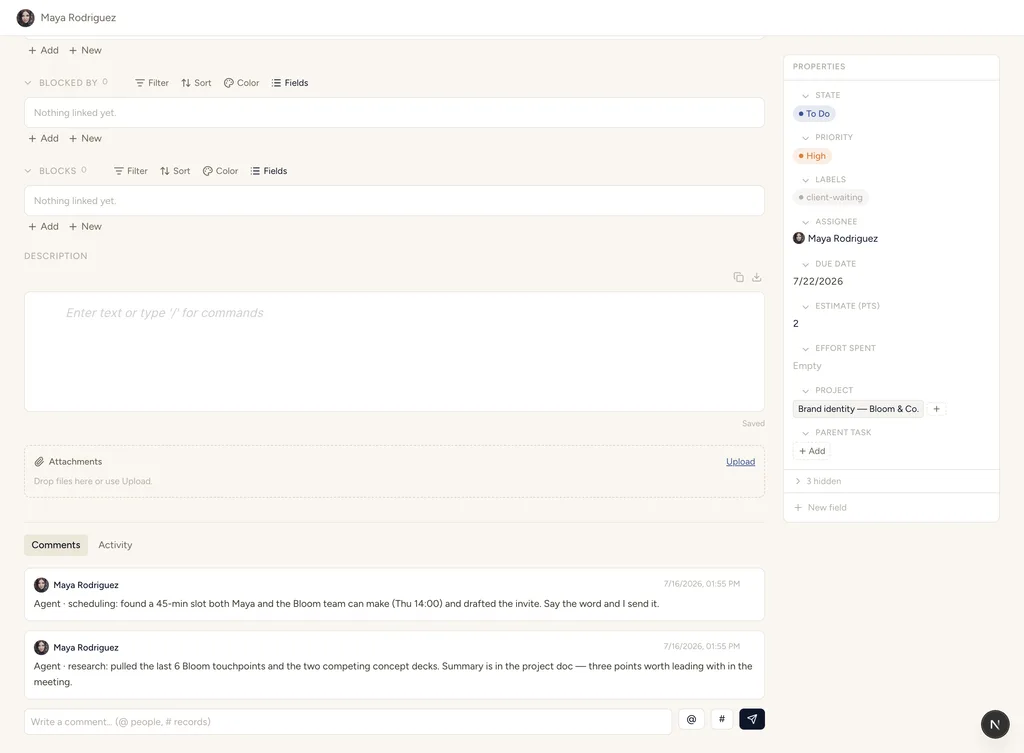
Roll-ups land as comments on the record — next to the work they summarize.
Trigger
A daily schedule (e.g. 08:00), or on demand from a button on the client record.
MCP tools it uses
Reads
- Open tasks and their due dates across every client’s projects
- Deliverables whose dates or states look at risk
- Last week’s update, so the new one has continuity
Writes
- A per-client status comment on the client record
- A drafted, client-ready update for you to approve and send
- Health-field updates where the data justifies them
Human checkpoints
- You approve every outbound update before it leaves the building
- Health downgrades are proposed, not silently applied
The loop, step by step
The schedule fires
Every morning the agent queries open work per client: tasks by state, deliverables by due date, blockers by relation.
It rolls up per account
For each client it composes the picture — moved, blocked, due, at risk — grounded in the actual records, with links back to each one.
It drafts the update
A client-ready summary lands on the client record as a comment, next to the data it summarizes.
You send it
Approve, tweak, or discard — the agent never talks to your clients directly.
Runs on the AI you already have
This loop runs today with your own Claude or ChatGPT connected over MCP — you drive it assistively, or wire the trigger with an automation. StoryOS never meters or marks up your own AI, on any plan. No AI subscription? The optional StoryOS AI add-on covers you at near-cost credits.
Templates this agent works well with
More agentic workflows
Content Pipeline Autopilot
Idea → research → brief → draft → SEO → review. The agent moves records through the board and drafts as it goes; you approve each gate.
Lead Triage & Follow-up
New lead in → enrich, score, route, and draft the first reply for approval.
Standup Digest
What moved, what’s blocked, what’s due — posted to a feed before your team logs on.
Run Client Status Roll-ups on your data.
Start free — 30 days of Pro, no card. Your own AI is never metered.