Templates · Agency
Funnels
Track marketing funnels with real numbers — opt-ins, conversions, revenue.
You know the funnel leaks; you can’t say which step, because each stage’s numbers live in a different tool.
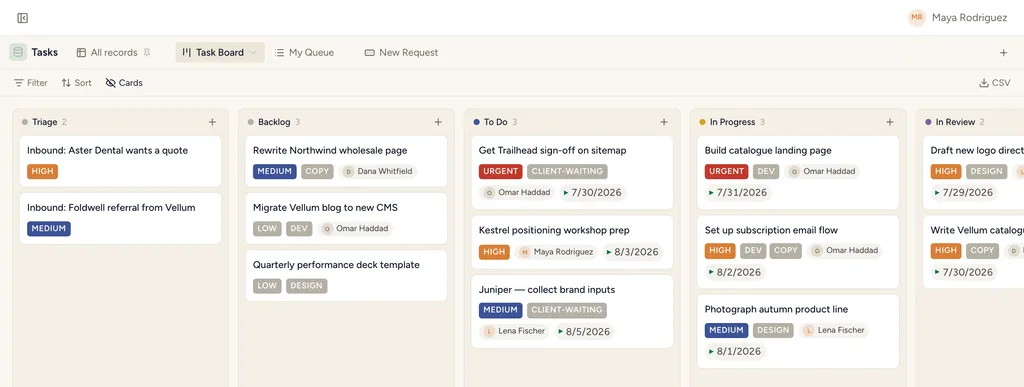
A real board view in StoryOS — the shape Funnels installs.
What gets installed
1 connected database, with fields, relations and views pre-wired.
Funnels
Ships with 2 saved views: Funnel Board (board) · Live Funnels (table)
How this template works
How this works
One database, rich fields: each Funnel carries its type, live URL, traffic sources and the numbers that matter (visitors, opt-in %, conversion %, revenue). Installs into an existing space; links to Clients automatically when the Client Work pack is present.
The loop
Update the numbers monthly; the Live Funnels view sorted by revenue is the portfolio review.
Then put an agent on it
An agent can pull each stage’s conversion onto the record and name the biggest drop-off since last period.
It runs on your own Claude or ChatGPT over MCP — never metered, never marked up — and every move it makes waits at an approval gate. How agent runs work →
More agency templates
Client Projects & Tasks
Clients, contacts, projects, tasks and invoices — the whole agency backbone, interlinked.
Client Space
A per-client space you share with the client — tasks, deliverables, meetings, requests.
Agency CRM
Lead pipeline with proposals — the board where the money happens.
See the bigger picture: how agencies run on StoryOS →
Install Funnels in one click.
Start free — 30 days of Pro, no card. Unlimited records, and your own AI is never metered.
Template contents synced from the product registry, 2026-07-26.